
1. How to make payment for employees in dotBizX.Com?
To make payment, You click on HR & Payroll (1) menu => Next you click on Make Payment (2) option => In Make Payment Form like Illustration 01 bellows, you need input all things to make payment => Next, you click on Next () button to continues.
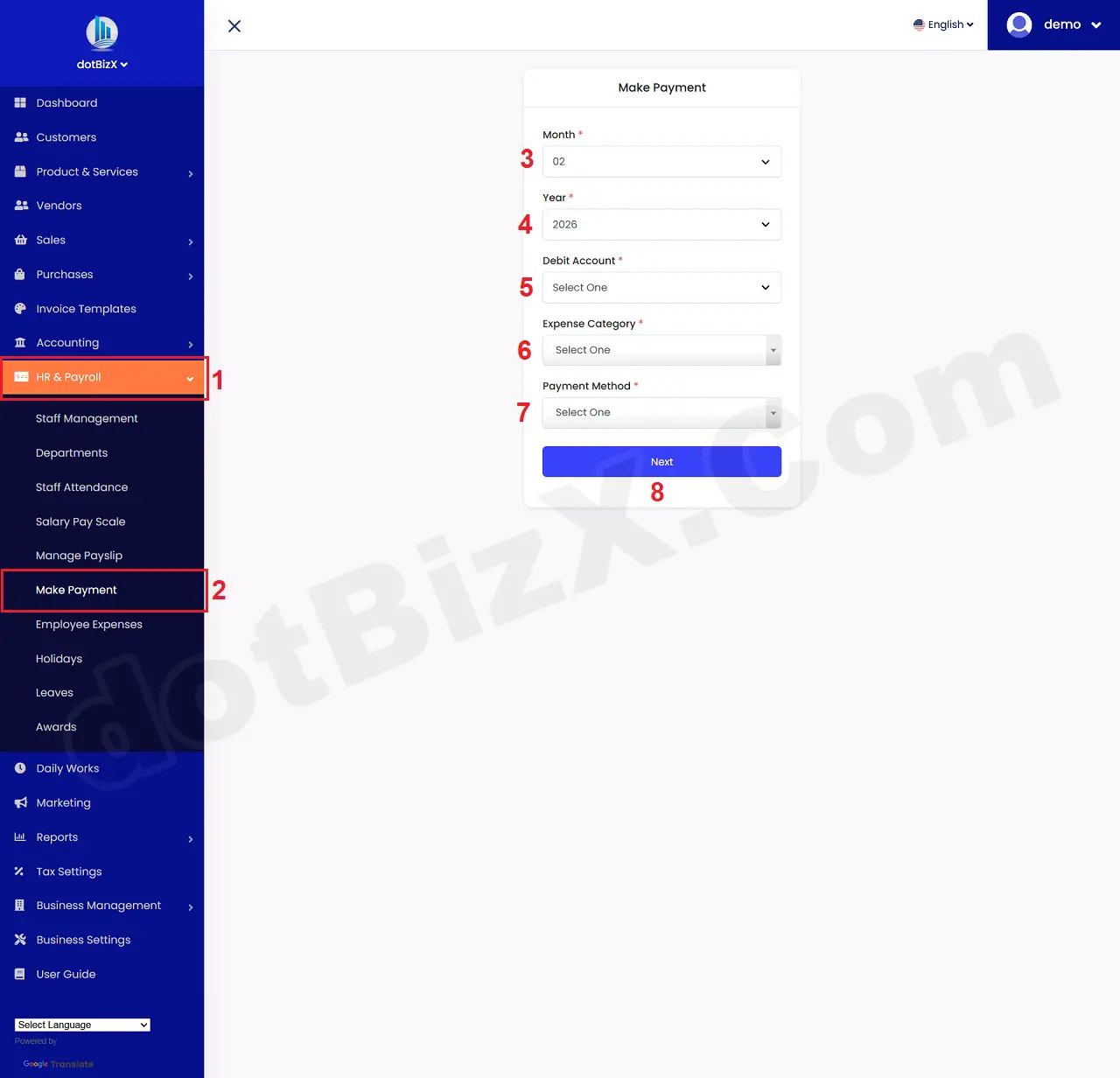
Illustration 01: Make Payment Form - Step 1
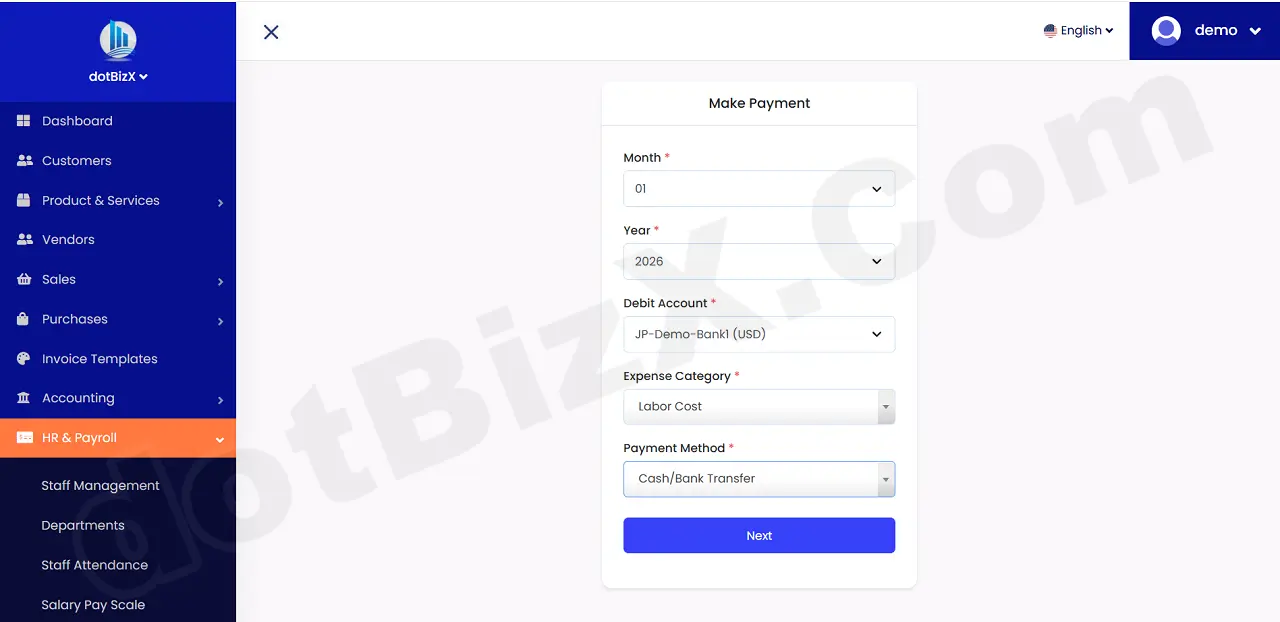
Illustration 02: Make Payment Form - Step 1 - After input data
In new window, you need check or uncheck with the suitable employee in Pay (9) colunm like Illustration 03 bellows => Final you click on Make Payment (10) button to finish.
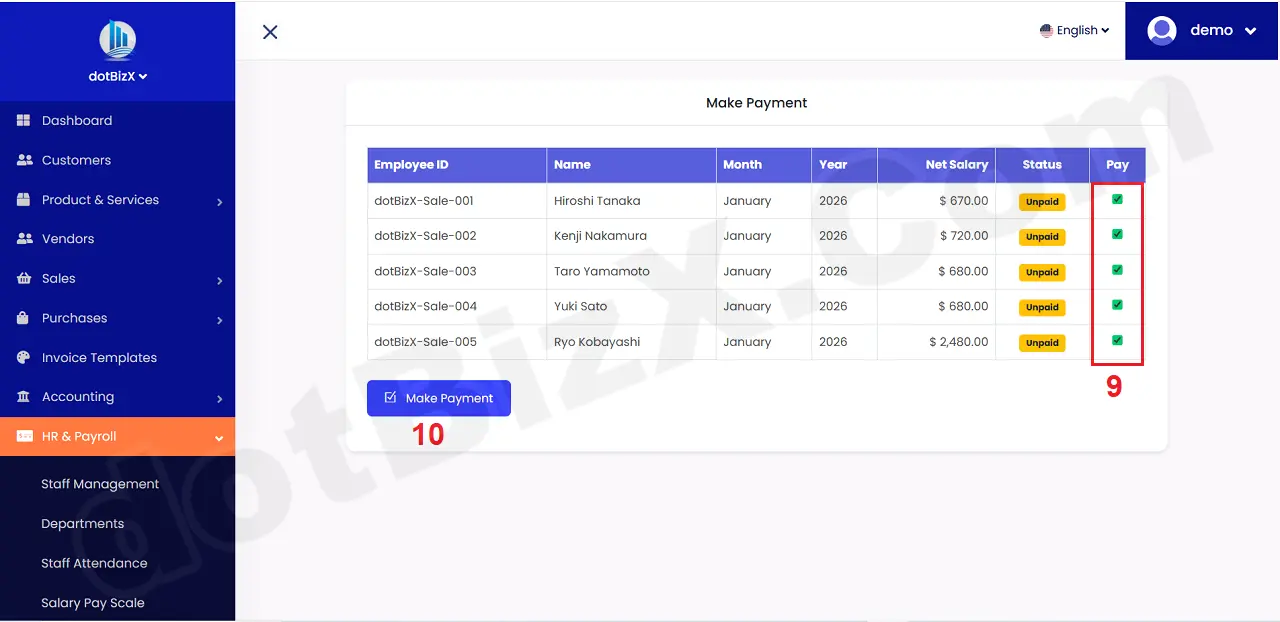
Illustration 03: Make Payment Form - Step 2
After make payment, you can see the payslips like Illustration 04 bellows.
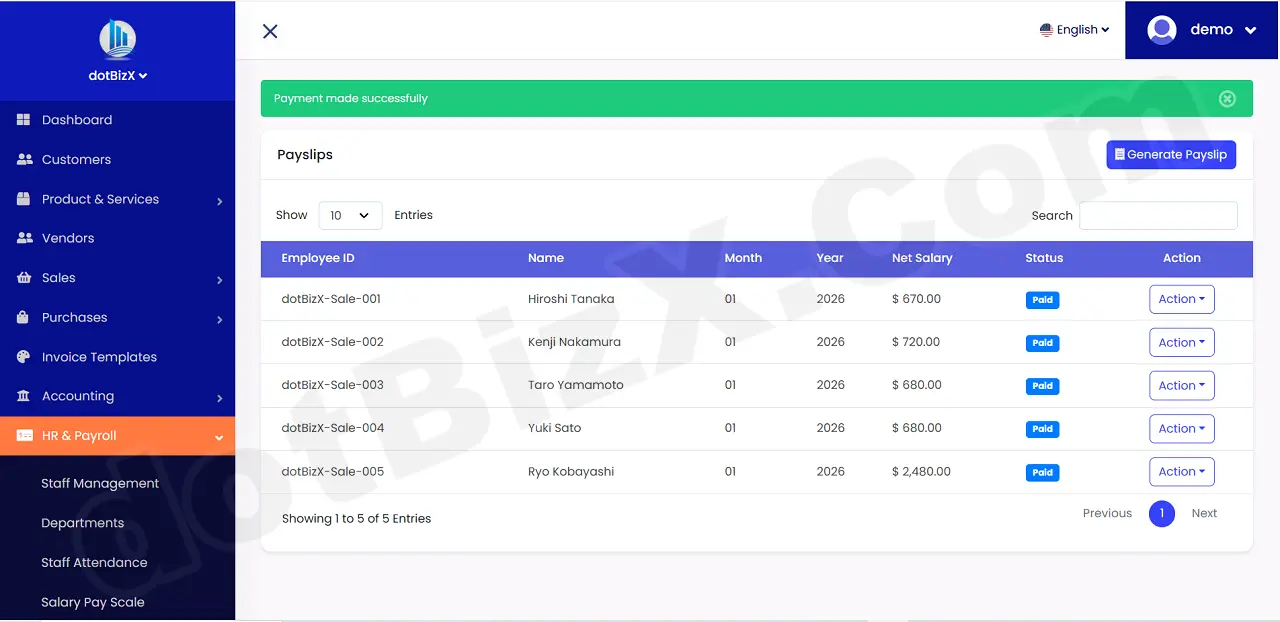
Illustration 04: List of Payslips
2. Notes
+ For the payroll payment process to be carried out correctly, the Debit Account (5) as shown in Illustration 01 above must have enough money to pay the salaries of all employees.
+ If this account has insufficient funds, you must initiate an accounting procedure/transfer of funds into this account. To transfer funds to this Debit Account, follow the instructions in section 4 of part 7.2. Transactions Management, of the dotBizX.Com user manual.