
Steps to import products & services in bulk from dotBizX.Com
1. Step 1: Open The Interface of Daily Works module
Click on Daily Works (1) menu => then you click on Products Import (DW11) tool like Illustration 01 bellows.
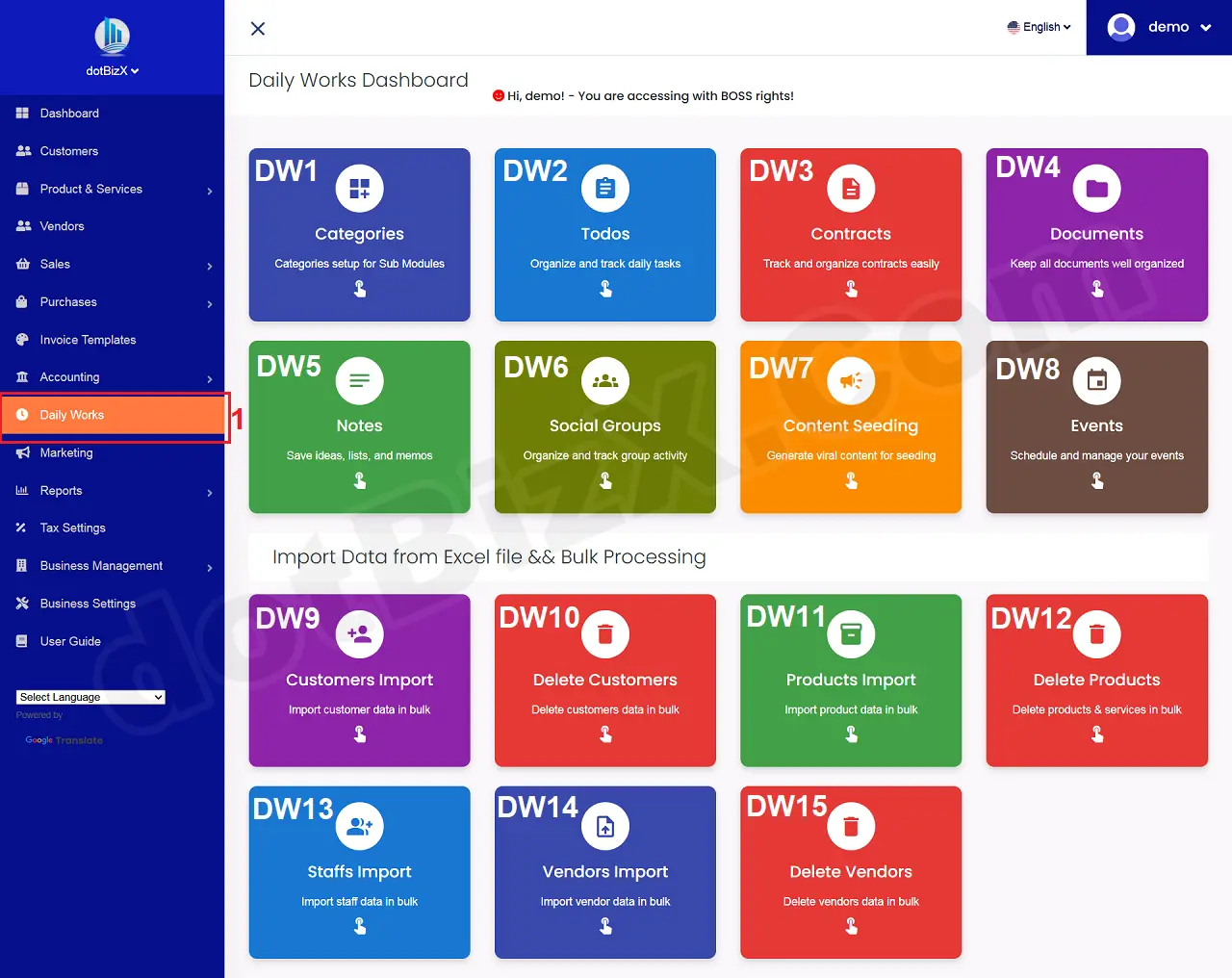
Illustration 01: The Interface of Daily Works Module
2. Step 2: Download Excel Template to setup data
In Import Products And Services form, you click on 2nd red box like Illustration 02 bellows to download the excel template into your PC => Next, you delete the demo data from that excel file => next you input your data into that excel file => next you click on 3rd control like Illustration 02 bellows and upload your excel file => Final, you click on IMPORT (4) button to import your products & services from your excel file.
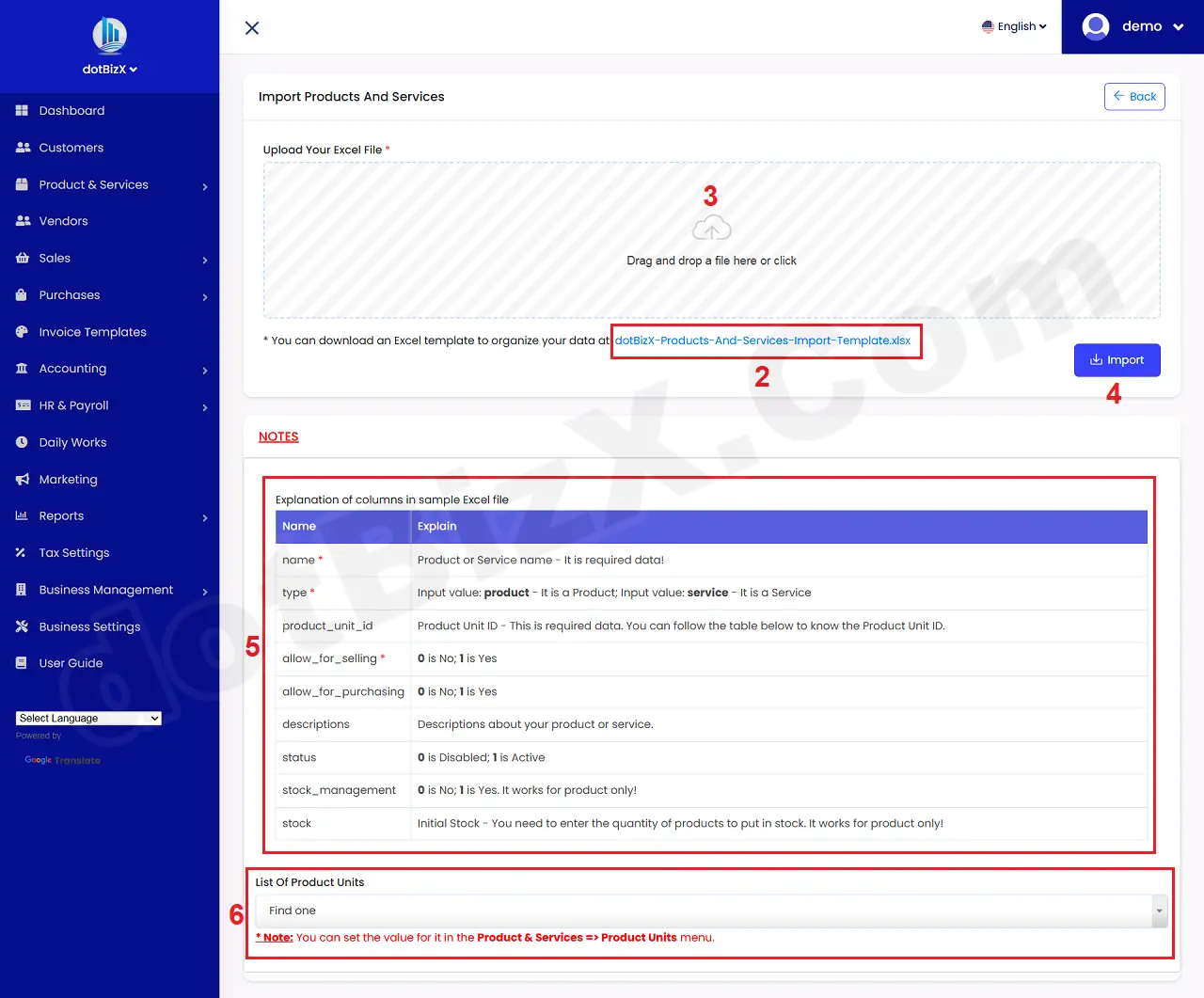
Illustration 02: Import Products And Services
* Notes:
+ The columns in the Excel file are clearly explained in the NOTES(5) box as shown in Illustration 02 above.
+ product_unit_id: To get the ID for this column, click on the List Of Product Units control (6) as shown in Illustration 02 above to get the result.
=> Example: If the value of List Of Product Units (6) is: ID/CODE(24) - Unit(Kg) => Then the value 24 is product_unit_id.
3. Step 3: Modify data for your products & services
At this step, you follow the same instructions as in section 3, 4 of the article: Products & Services Management in dotBizX.Com.