
1. How to show List of documents in dotBizX.Com?
1.1. Step 1: Open The Interface of Daily Works module
Click on Daily Works (1) menu => Then you can see the dashboard of Daily Works like Illustration 01 bellows.
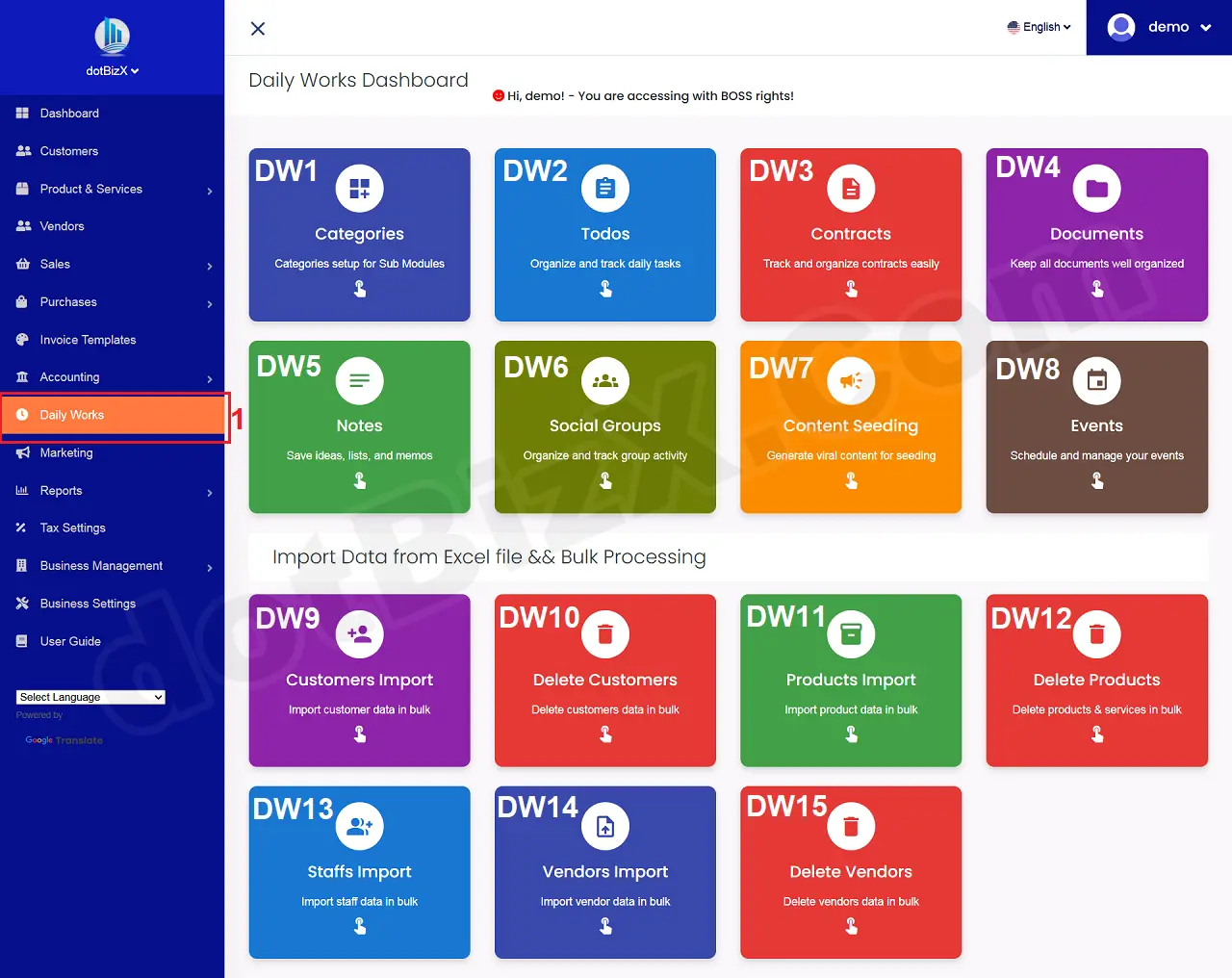
Illustration 01: The Interface of Daily Works Dashboard
1.2. Step 2: Open List of Documents
In Daily Works Dashboard like Illustration 01 above, you click on Documents [DW4] button => Then you can see List of Documents like Illustration 02 bellows.
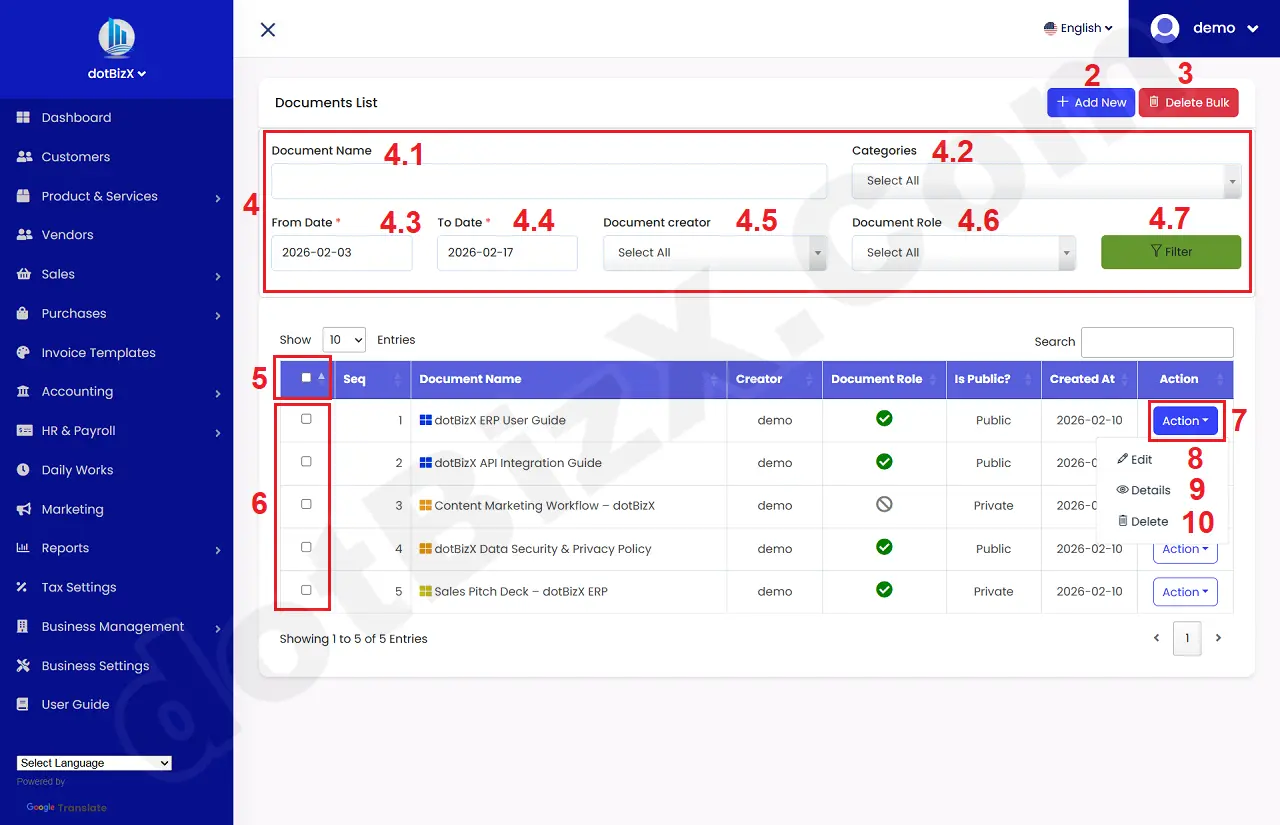
Illustration 02: List of Documents
* Notes:
+ Add New (2) button: It's used to create a new document.
+ Delete Bulk (3) button: It's used to delete documents in bulk.
+ 4th red area (4): It's used to filter data for table bellows.
+ 5th red (5) box: It's used to choose all document that in the table bellows.
+ 6th red (6) box: It's used to choose the document that you want to delete in bulk.
+ Action (7) button: When you click on this button so you can see 8th - 10th options.
+ Edit (8) option: It's used to modify an existing document.
+ Details (9) option: It's used to show an existing document.
+ Delete (10) option: It's used to delete an existing document.
2. How to create a new document?
In list of documents like Illustration 02 above, you click on Add New (2) button => In Add New document Form like Illustration 03 bellows, you need input all things for it => Final, you click on Save Changes (22) button to finish.
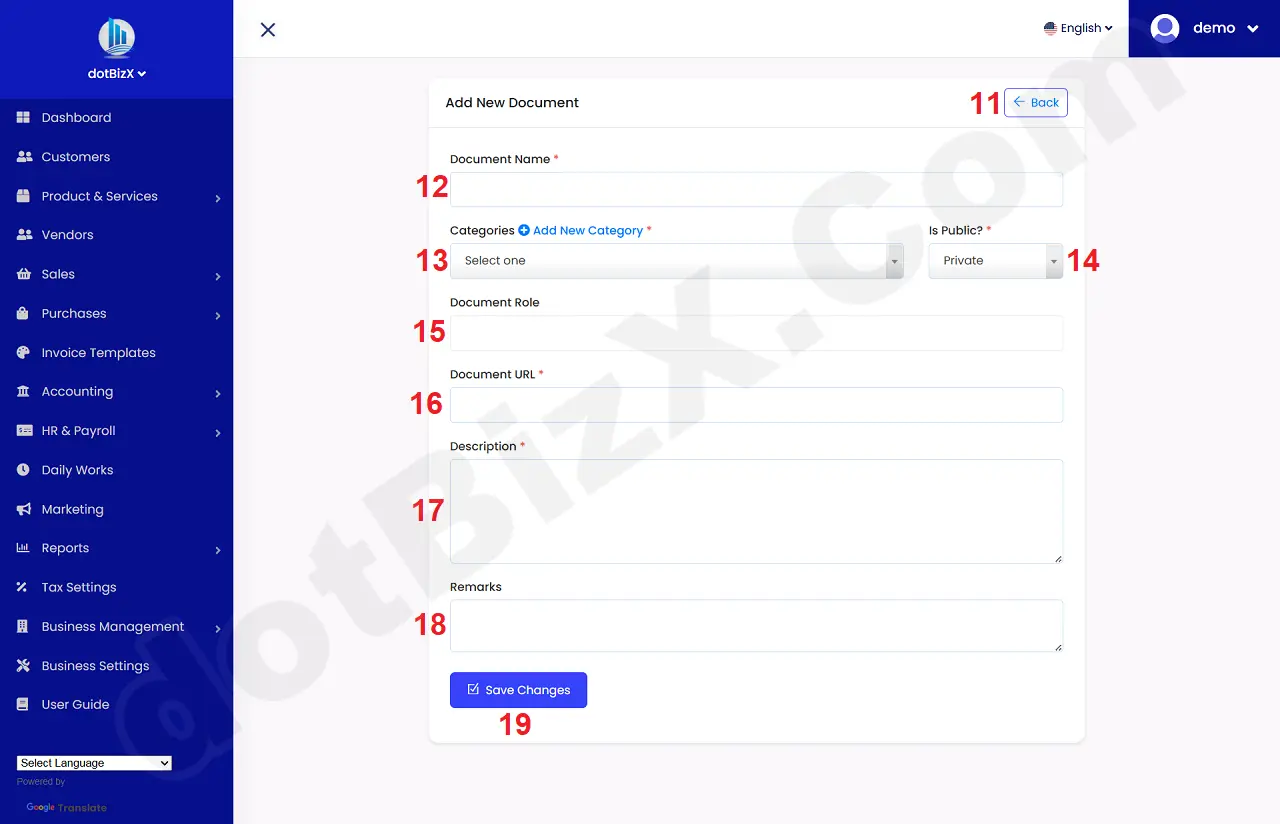
Illustration 03: Add New Document Form
* Notes:
+ Cells marked with a red asterisk (*) are mandatory.
+ Categories (13) box: You need choose a suitble value. It hasn't any values so you can create it by click on Add New Category option near this box. Or you can do it via 9.1. Categories Management of the user guide of dotBizX.Com.
+ Is Public (14) box: It has two values:
- Private: Only the person who created the document can access it.
- Public: Anyone can access this document.
+ Document Role (15) box: You need to select the roles that are allowed to access this document.
+ Document URL (16) box: If you have url of your document so you need input it here.