
1. How to show Overview of WhatsApp Marketing Campaigns Report in dotBizX.Com?
1.1. Step 1: Open the Dashboard Marketing
To do it, you click on Marketing (1) menu => Then you can see the Dashboard Marketing like Illustration 01 bellows.
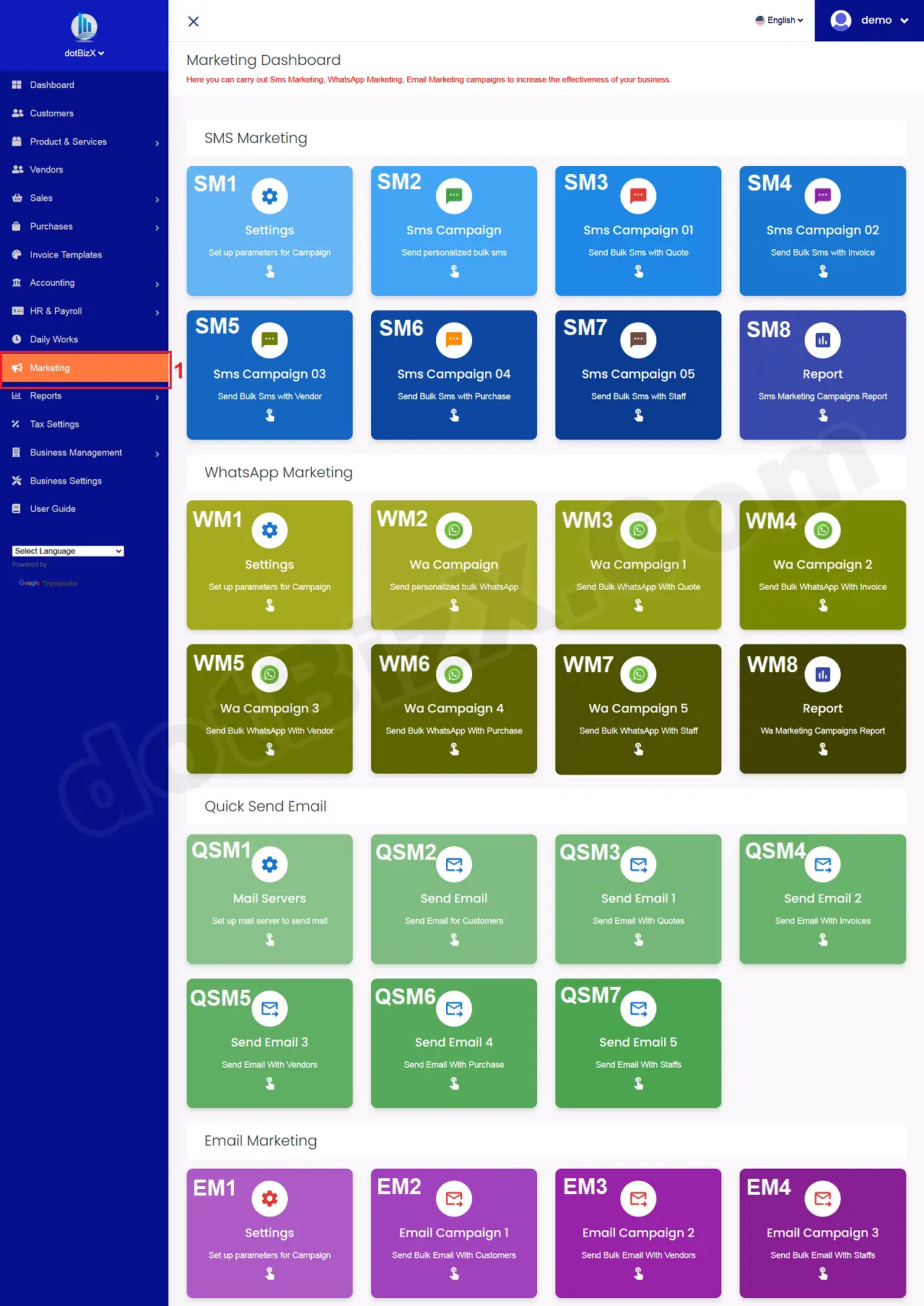
Illustration 01: Interface of Dashboard Marketing
1.2. Open Overview of WhatsApp Marketing Campaigns Report
In Dashboard Marketing Form like Illustration 01 above, you click on Report (SM8) button => Now you can see the Overview of WhatsApp Marketing Campaigns Report like Illustration 02 bellows.
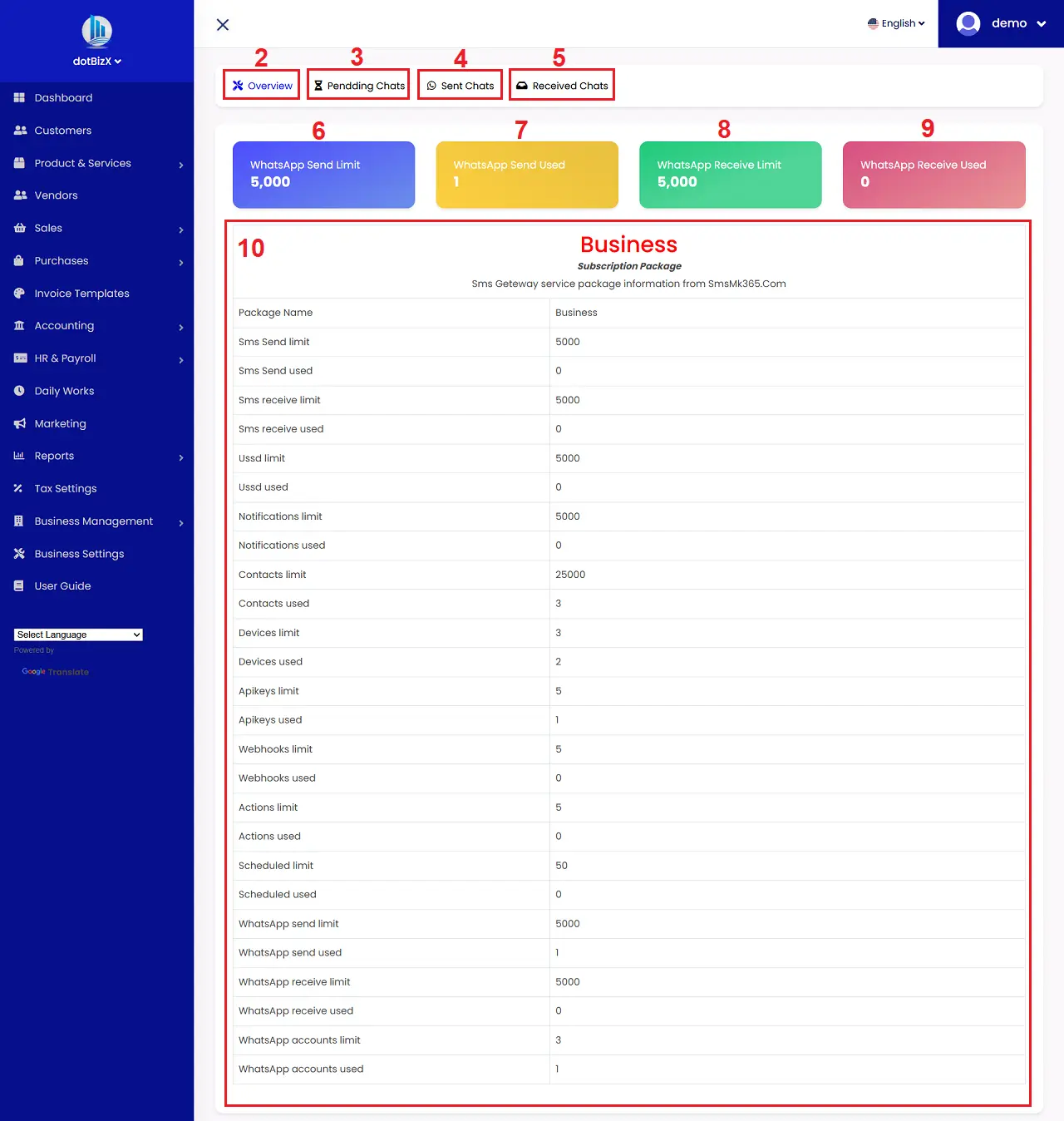
Illustration 02: Overview of WhatsApp Marketing Campaigns Report
* Notes:
+ Overview (2) Tab: When you click on this tab so you can see the Overview Report like Illustration 02 above.
+ Pendding Sms (3) Tab: It's used to show report about list of pendding Chats.
+ Pendding Sms (4) Tab: It's used to show report about List about Sent Chats.
+ Received Sms (5) Tab: It's used to show report about List about Received Chats.
2. How to show report of pendding Chats list?
In WhatsApp Marketing Campaigns Report like Illustration 02 above, you click on Pedding Chats (3) tab => So you can see the report about pendding Chats list like Illustration 03 bellows.
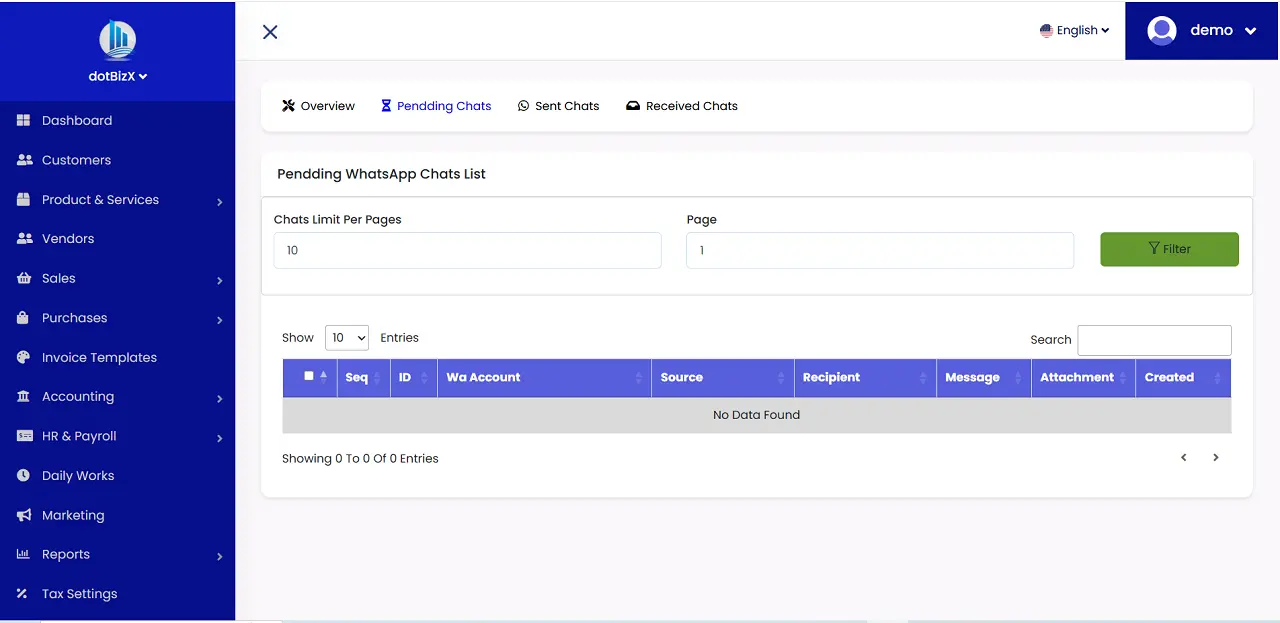
Illustration 03: Report about Pendding Chats
3. How to show report of Sent Chats list?
In WhatsApp Marketing Campaigns Report like Illustration 02 above, you click on Sent Chats (4) tab => So you can see the report about pendding Chats list like Illustration 04 bellows.
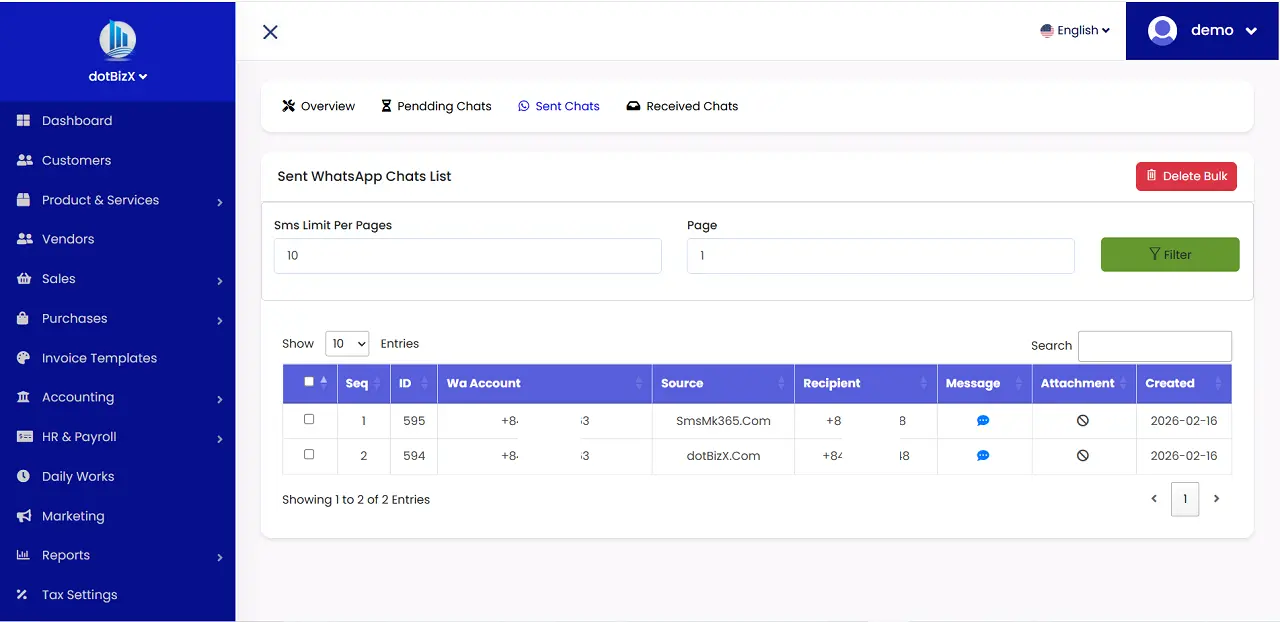
Illustration 04: Report about Sent Chats
4. How to show report of Received Chats list?
In WhatsApp Marketing Campaigns Report like Illustration 02 above, you click on Received Chats (5) tab => So you can see the report about Received Chats list like Illustration 05 bellows.
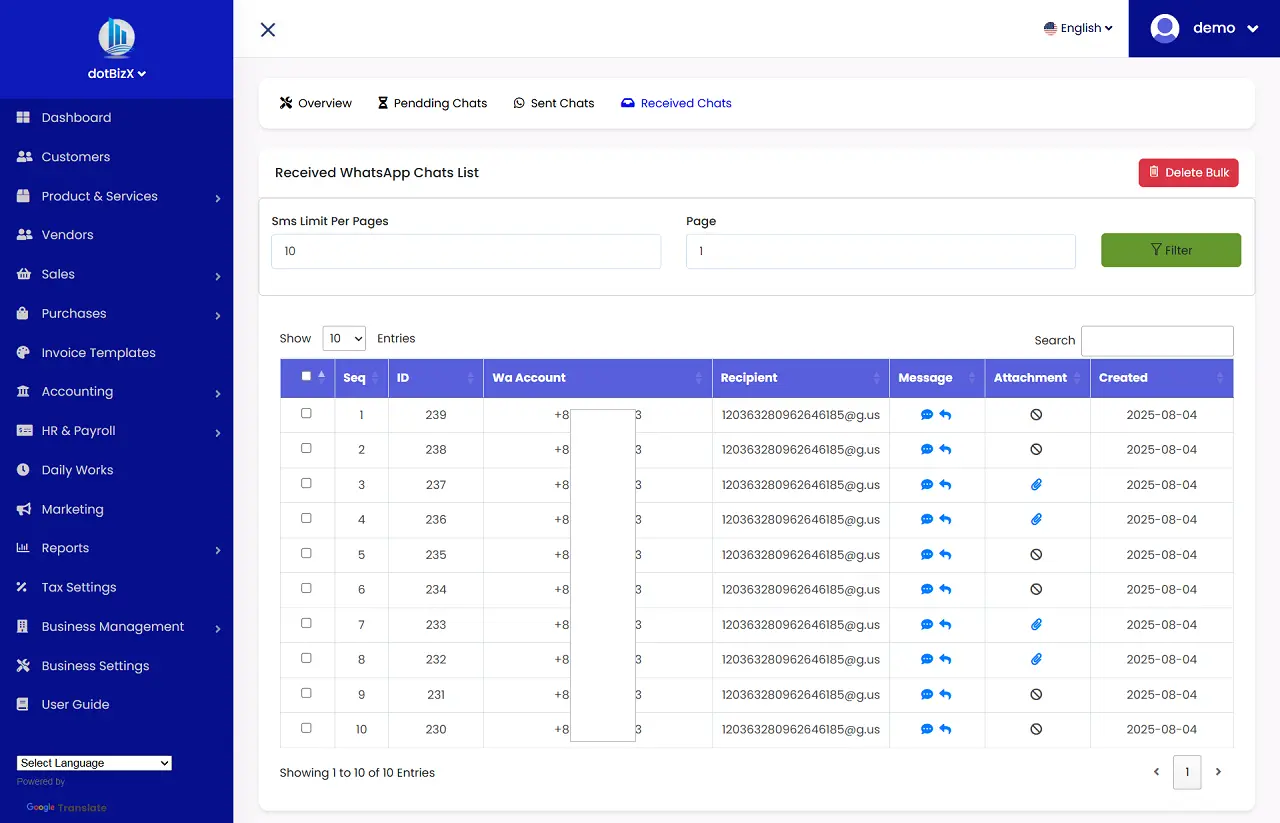
Illustration 05: Report about Received Chats