1. How to show list of taxs?
You click on Taxt Settings (1) menu => So you can see list of taxs like Illustration 01 bellows.
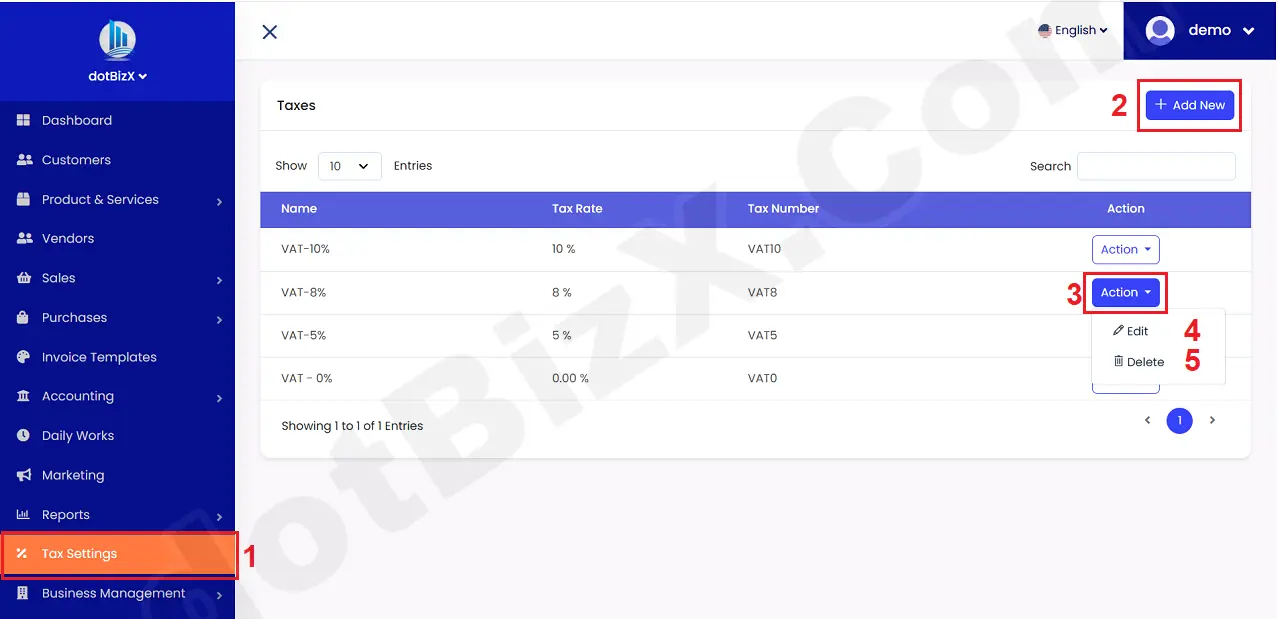
Illustration 01: List of Taxs
* Notes:
+ Add New (2) button: You click on this button to create a new tax.
+ Action (3) button: Click on this button to show Edit and Delete option that's suitable with Tax which you want to process.
+ Edit (4) option: It's used to modify an existing tax.
+ Delete (5) option: It's used to Delete an existing tax.