1. How to open the Dashboard Marketing in dotBizX.Com?
To do it, you click on Marketing (1) menu => Then you can see the Dashboard Marketing like Illustration 01 bellows.
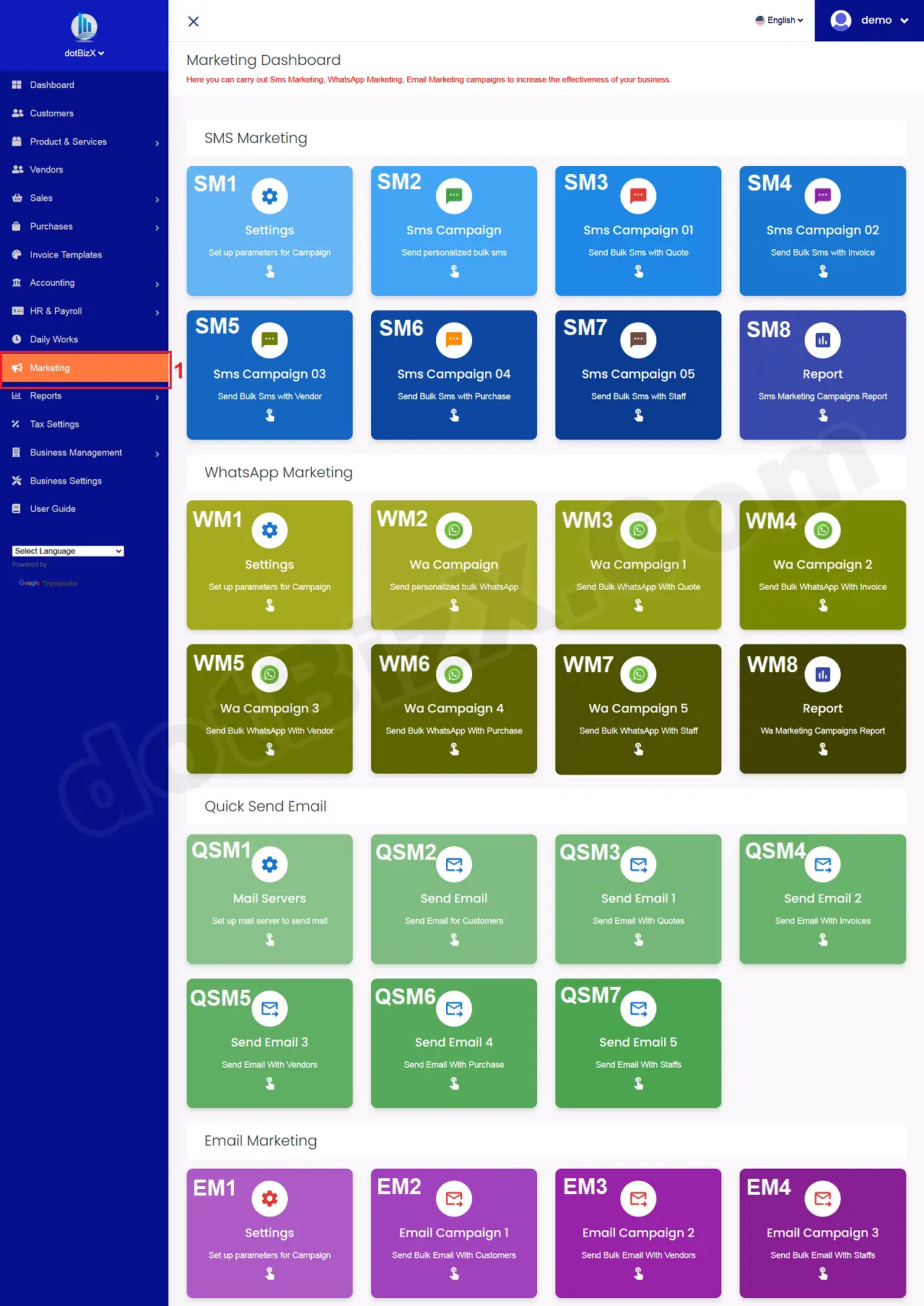
Illustration 01: Interface of Dashboard Marketing
2. How to show List Of Send Mails With Purchases?
In Dashboard Marketing Form like Illustration 01 above, you click on Send Emails 4 (QSM6) button => Now you can see List Of Send Mails With Purchases.
To send mail for your Vendors with Purchases and do any things, you can do it like 10.3.3. Send Quick Emails to Customers with Quotes.