
1. How to show list of product units?
You nee click on Products & Services (2) menu => click on Product Units (2) option => Now you can see the list of product units like Illustration 01 bellows.
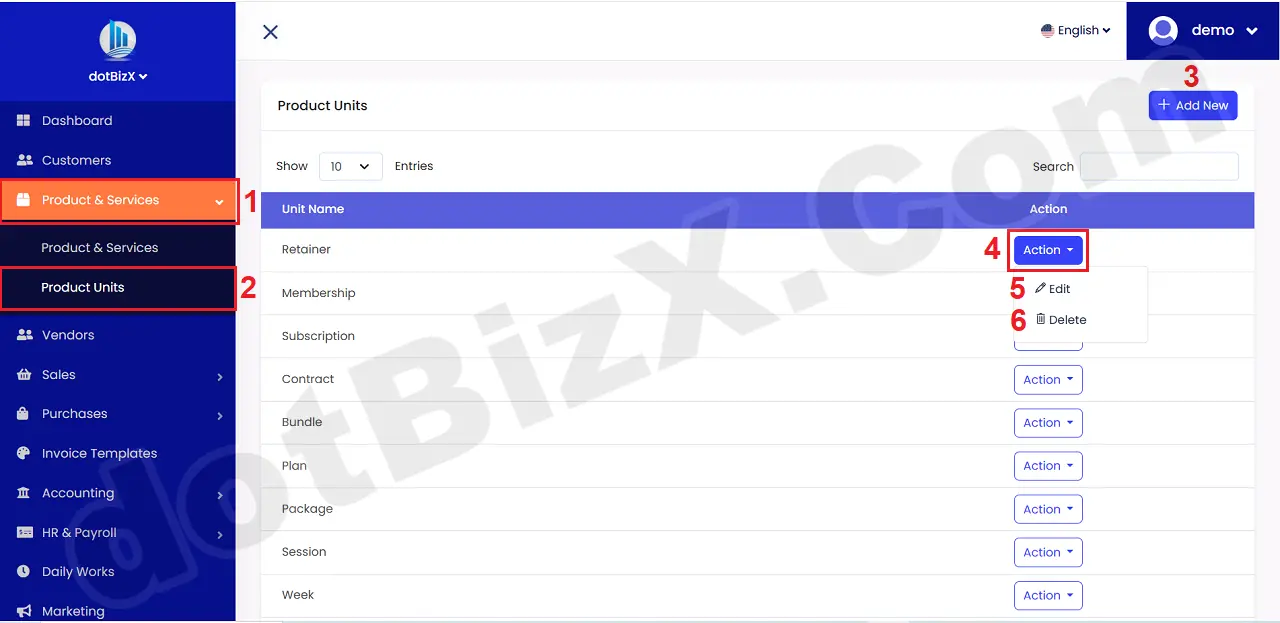
Illustration 01: List of Product & Service Units
* Notes:
+ Add New (3) button: It's used to create a new unit for products or services.
+ Action (4) button: Click on this button to see 5th and 6th options.
+ Edit (5) button: It's used to modify an existing unit.
+ Delete (6) button: It's used to delete an existing unit.
2. How to add new unit for your produts or services?
In list of product units like Illustration 01 above, you click on Add New (3) button => Next you need input all things for your units => Final, you click on Create Unit (8) button to finish.
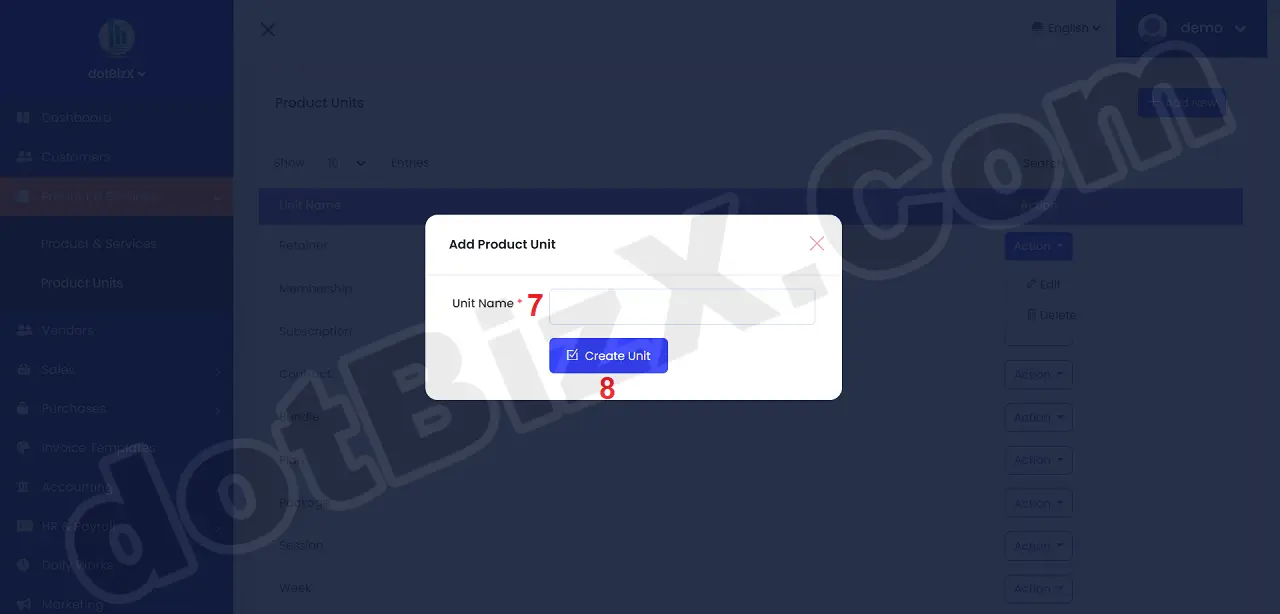
Illustration 02: Create a new Unit