
To integrate Stripe payments into dotBizX.Com, you first need to obtain your Stripe Client ID and Secret Key. These credentials allow dotBizX.Com to securely communicate with Stripe’s API, process online payments, and protect sensitive transaction data. In this guide, we will walk you through how to get your Stripe Client ID and Secret Key step by step, helping you complete the integration quickly, correctly, and safely for your dotBizX.Com platform.
To do that, follow the instructions below:
1. Log in to Stripe in developer mode
You need to make sure that you already have a member account on Stripe.
You need login into Stripe via https://stripe.com/ link and you account.
Right on the Stripe dashboard, go to Settings, then select API keys.
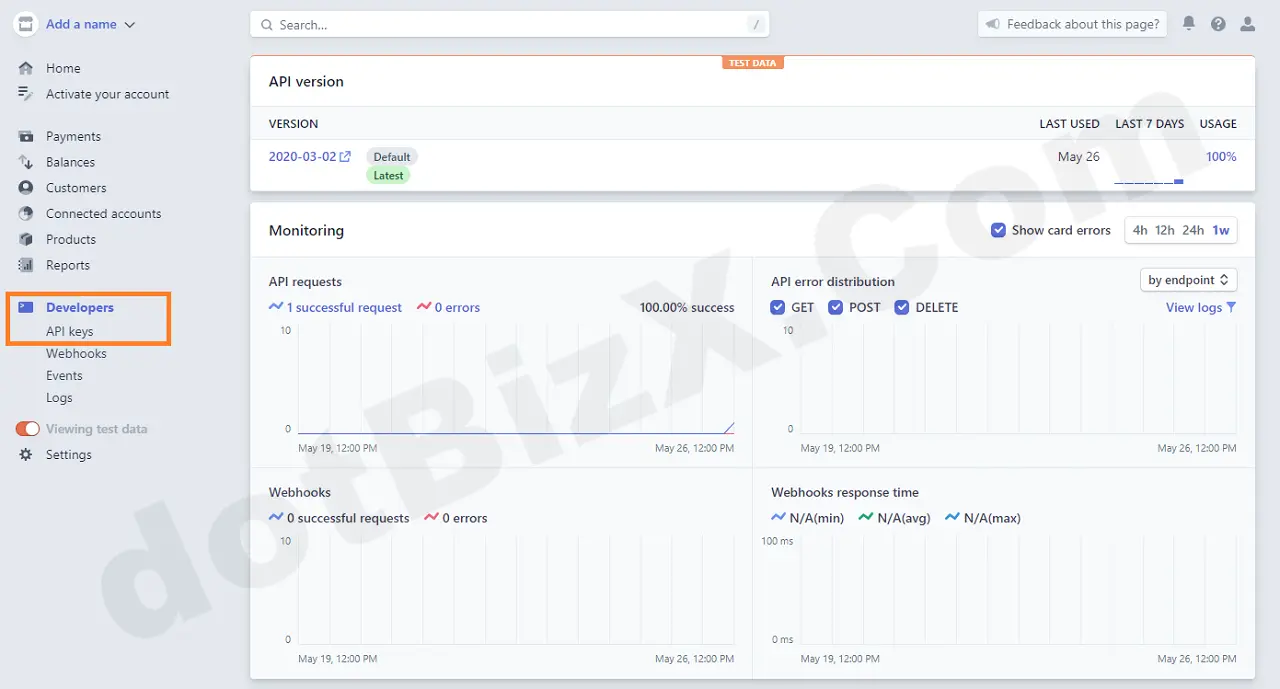
Illustration 01: Create API Keys
2. Get Stripe Publishable key and Secret key
In the API keys interface, find the Publishable key and Secret key, then copy and paste them directly into the corresponding fields in the Payment Method settings for Stripe on dotBizX.Com.
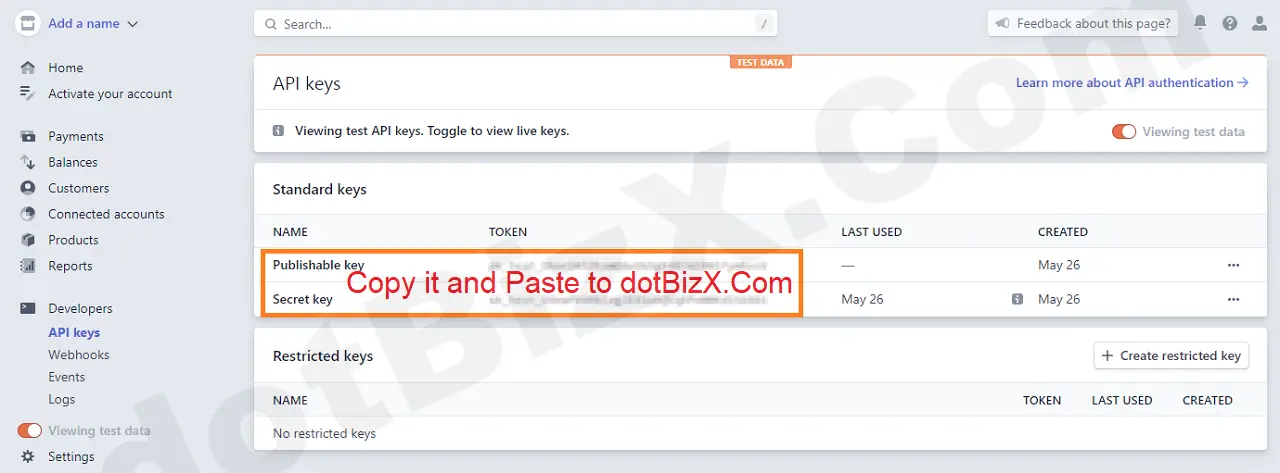
Illustration 02: Copy Publishable key & Secret key and paste to dotBizX.Com
In conclusion, obtaining your Stripe Client ID and Secret Key is a vital step for successfully integrating Stripe with dotBizX.Com. By setting up these credentials correctly, you ensure secure API communication, reliable payment processing, and protection of sensitive transaction data. Once the integration is complete, dotBizX.Com can deliver a seamless checkout experience, enhance user trust, and support scalable, efficient online payment operations.