To integrate PayPal payments into dotBizX.Com, obtaining your PayPal Client ID and Secret Key is a critical first step. These credentials allow dotBizX.Com to securely connect with PayPal’s API, enable online payments, and protect transaction data. In this guide, you will learn how to get your PayPal Client ID and Secret Key quickly and correctly, ensuring a smooth, secure, and reliable PayPal integration for your dotBizX.Com platform.
To do that, you need to follow the instructions below:
1. Login into Paypal
Go to the link: https://developer.paypal.com/developer/applications and click Log in to Dashboard. You need enter your PayPal account login details (Email/ID and Password) to sign in.
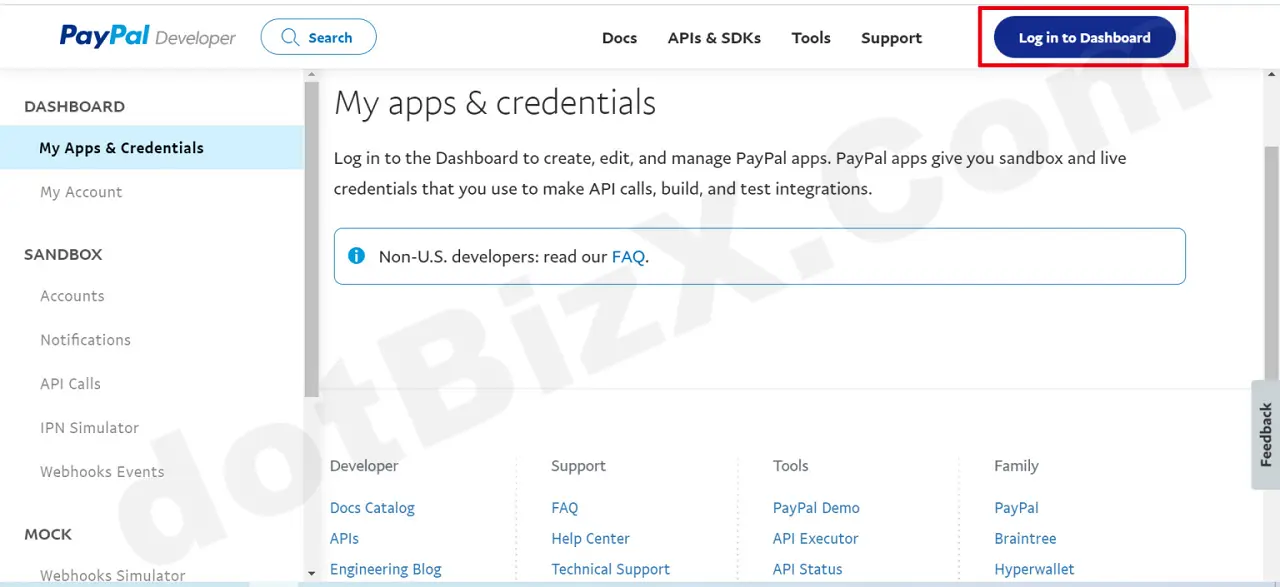
Illustration 01: Login into Paypal
2. Create an account
On the left-hand menu, you go to the Sandbox section => select Accounts menu, and create an account.
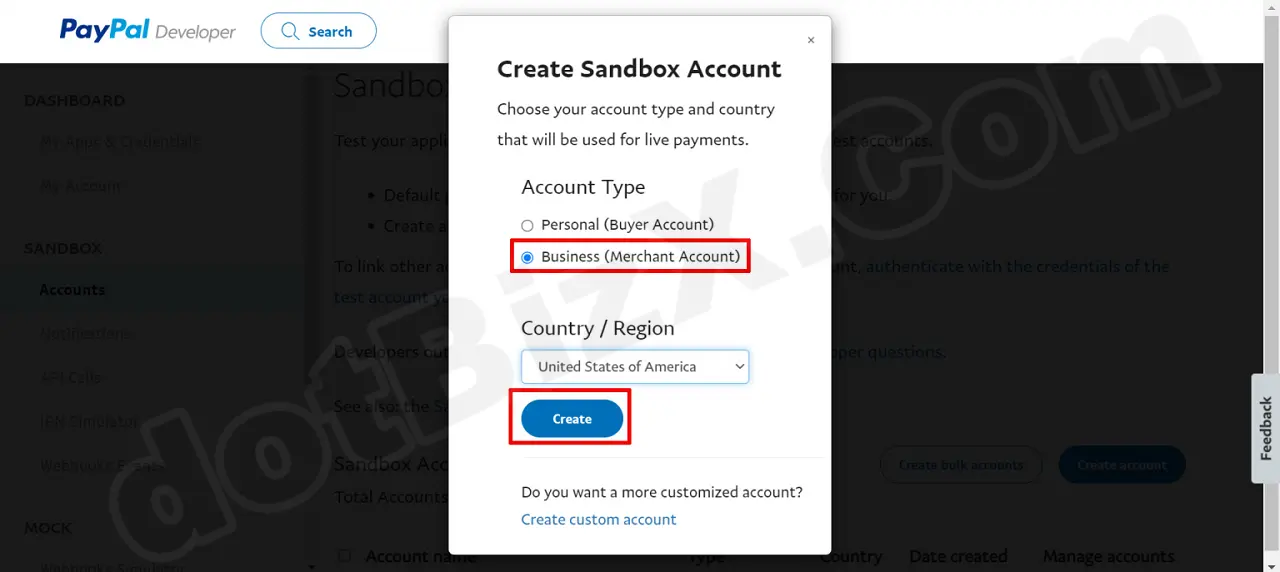
Illustration 02: Create an account
3. Account created successfully
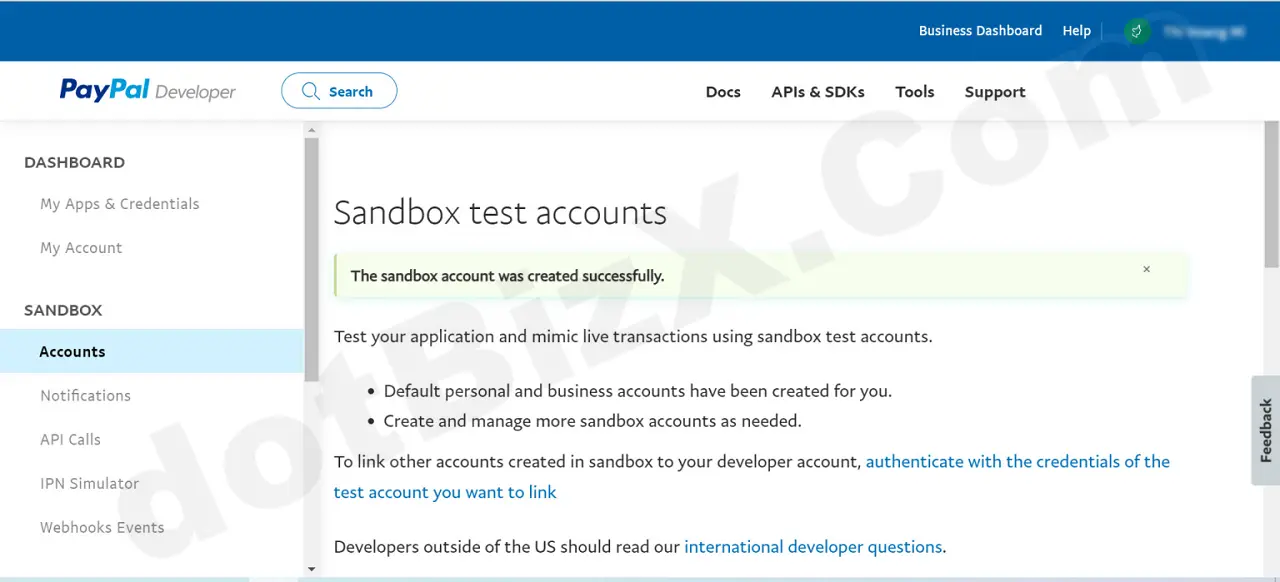
Illustration 03: Account created successfully
4. Create App
Go to My Apps & Credentials, select Live, and then select Create App.
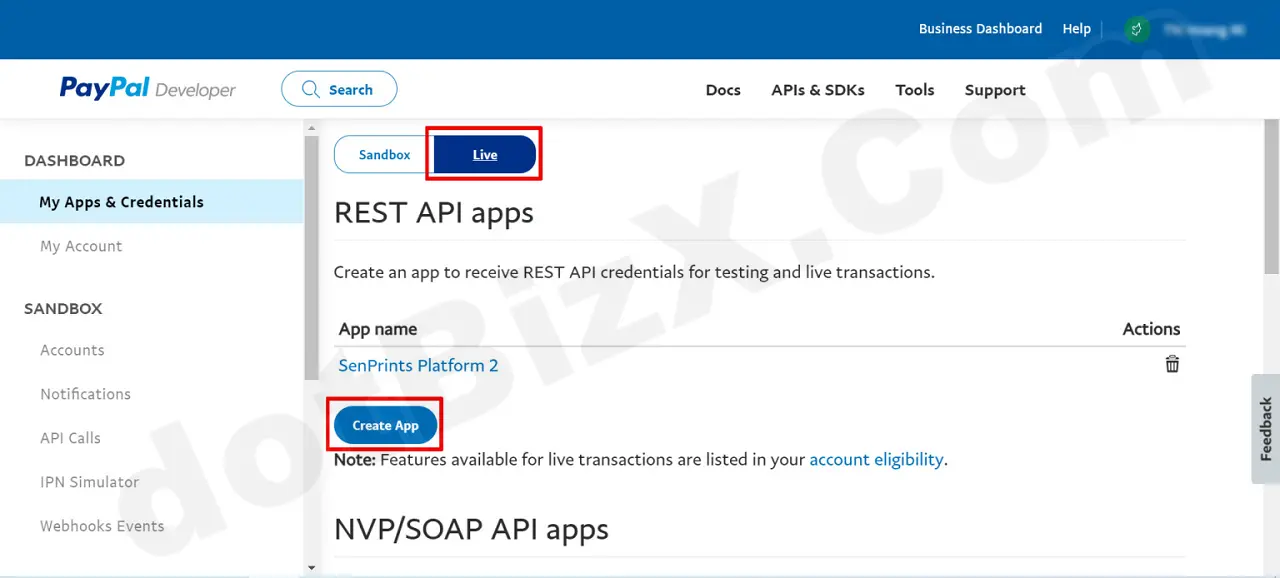
Illustration 04: Create App
5. Set name for App
In App Name box, you input Its name there, For example: dotBizX - App => Then you click on Create App button to contunues.
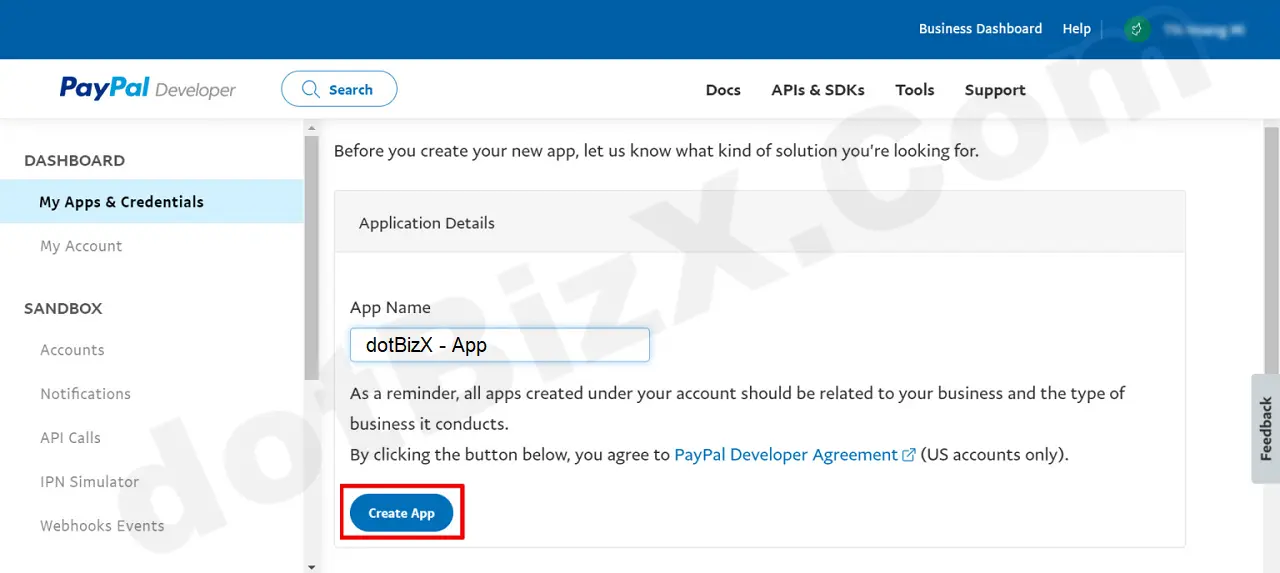
Illustration 05: Set name for App
6. Open App to get Client ID
After you have successfully created it, click directly on the newly created Name App to get the Client ID.
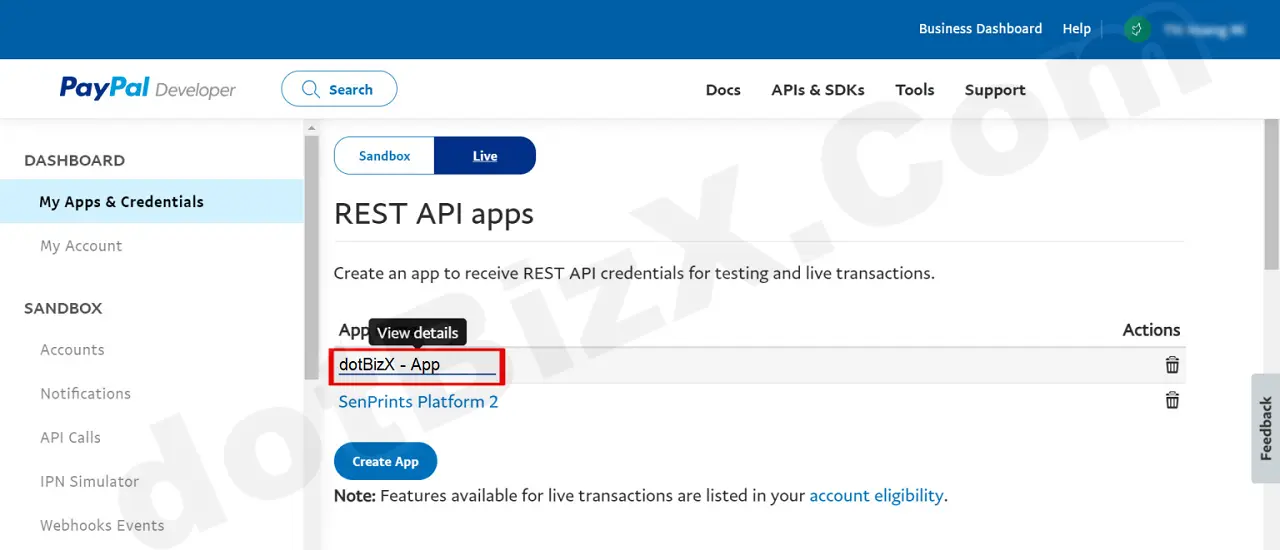
Illustration 06: Open App to get Client ID
7. Get Secret Key Paypal
Continue by selecting Show to expand the Secret Key section for the account and retrieve the Secret Key.
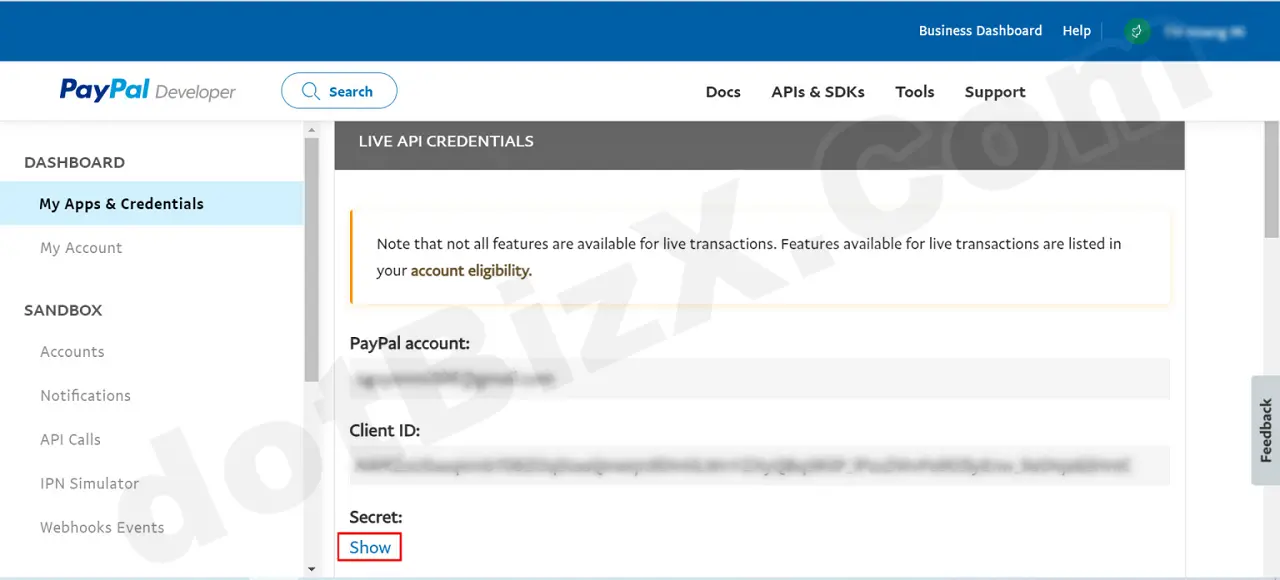
Illustration 07: Get Secret Key Paypal
8. Get Client ID and Secret Key Paypal to
Copy the Client ID and Secret Key and paste them directly into the Client ID and Client Secret fields in dotBizX.Com.
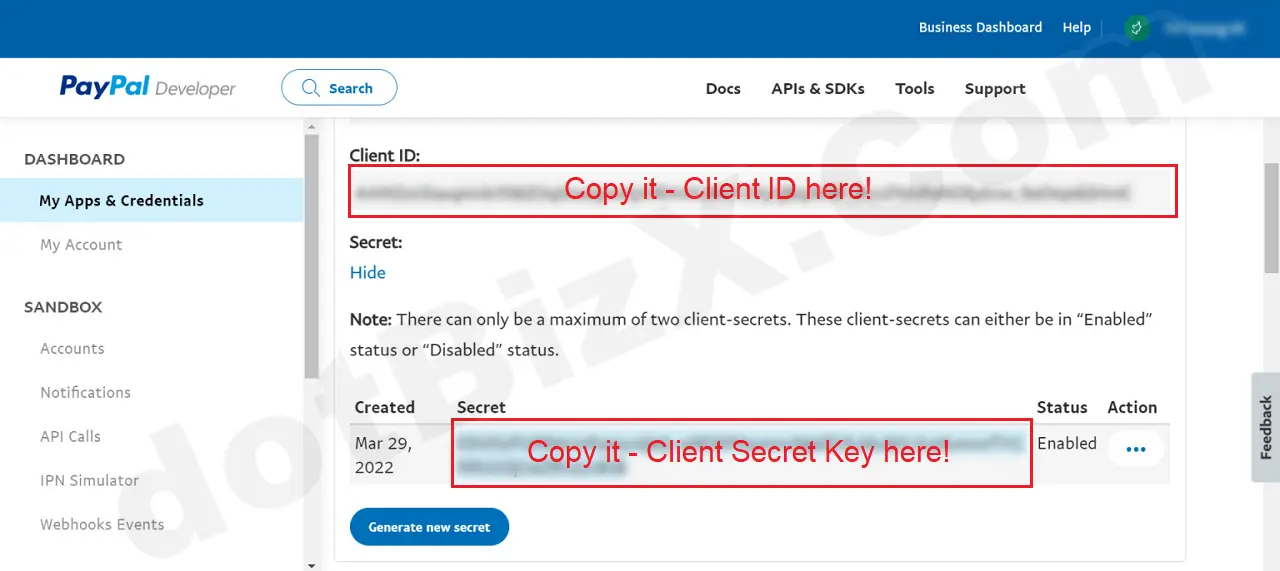
Illustration 08: Copy Client ID & Secret Client Key and pass them to dotBizX.Com
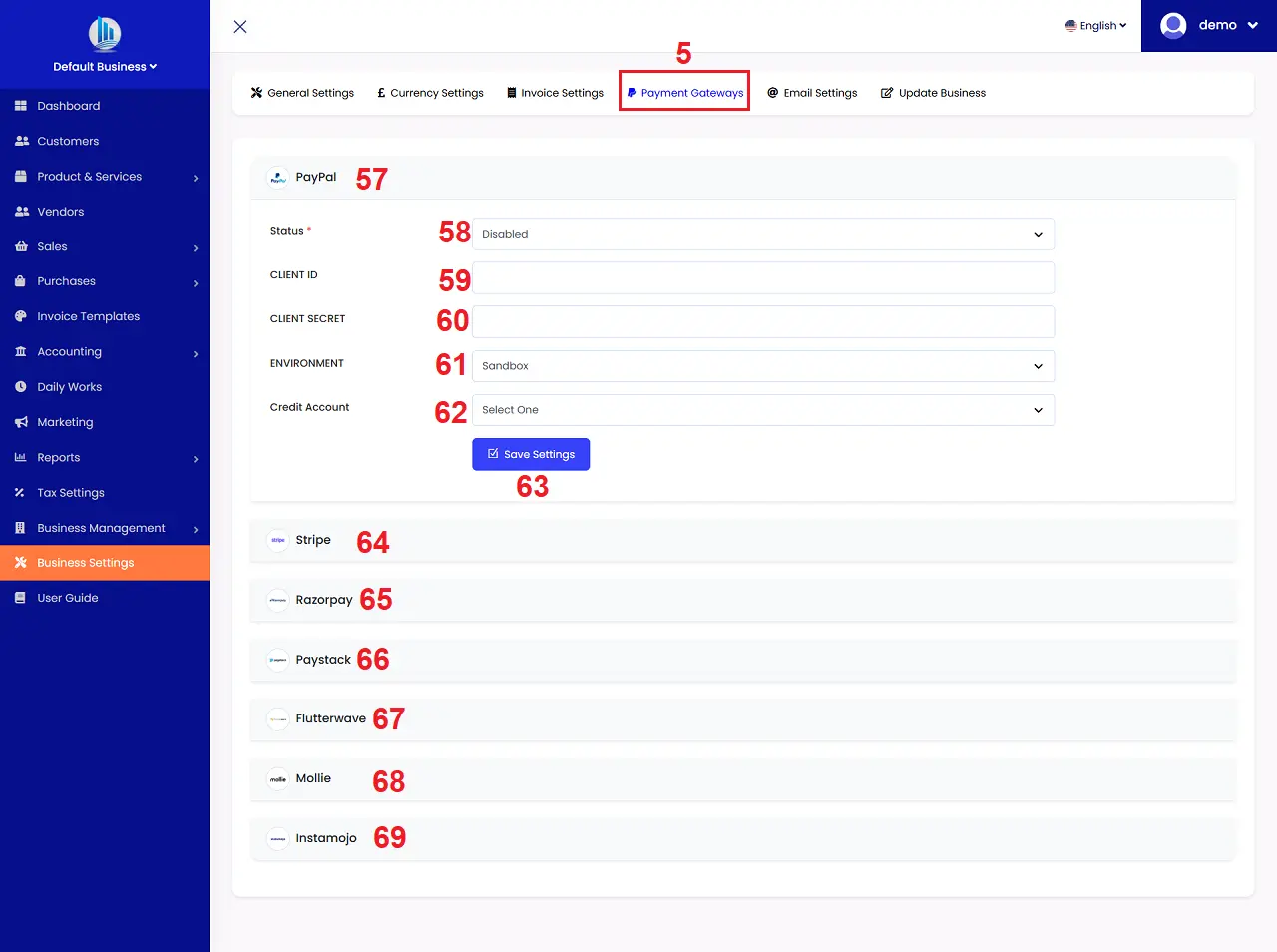
Illustration 09: Paste directly into the Client ID and Client Secret fields in dotBizX.Com
In conclusion, getting your PayPal Client ID and Secret Key is an essential step to successfully integrate PayPal with dotBizX.Com. By following the correct steps, you can ensure a secure connection, enable smooth payment processing, and protect sensitive transaction data. Once configured properly, PayPal integration will help dotBizX.Com streamline online payments, improve user experience, and support scalable business growth with a reliable and trusted payment solution.