
1. How to show list of staff attendance?
To do it, you click on HR & Payroll (1) menu => Next you click on Staff Attendance (2) option => Then you can see list of staff attendance like Illustration 01 bellows.
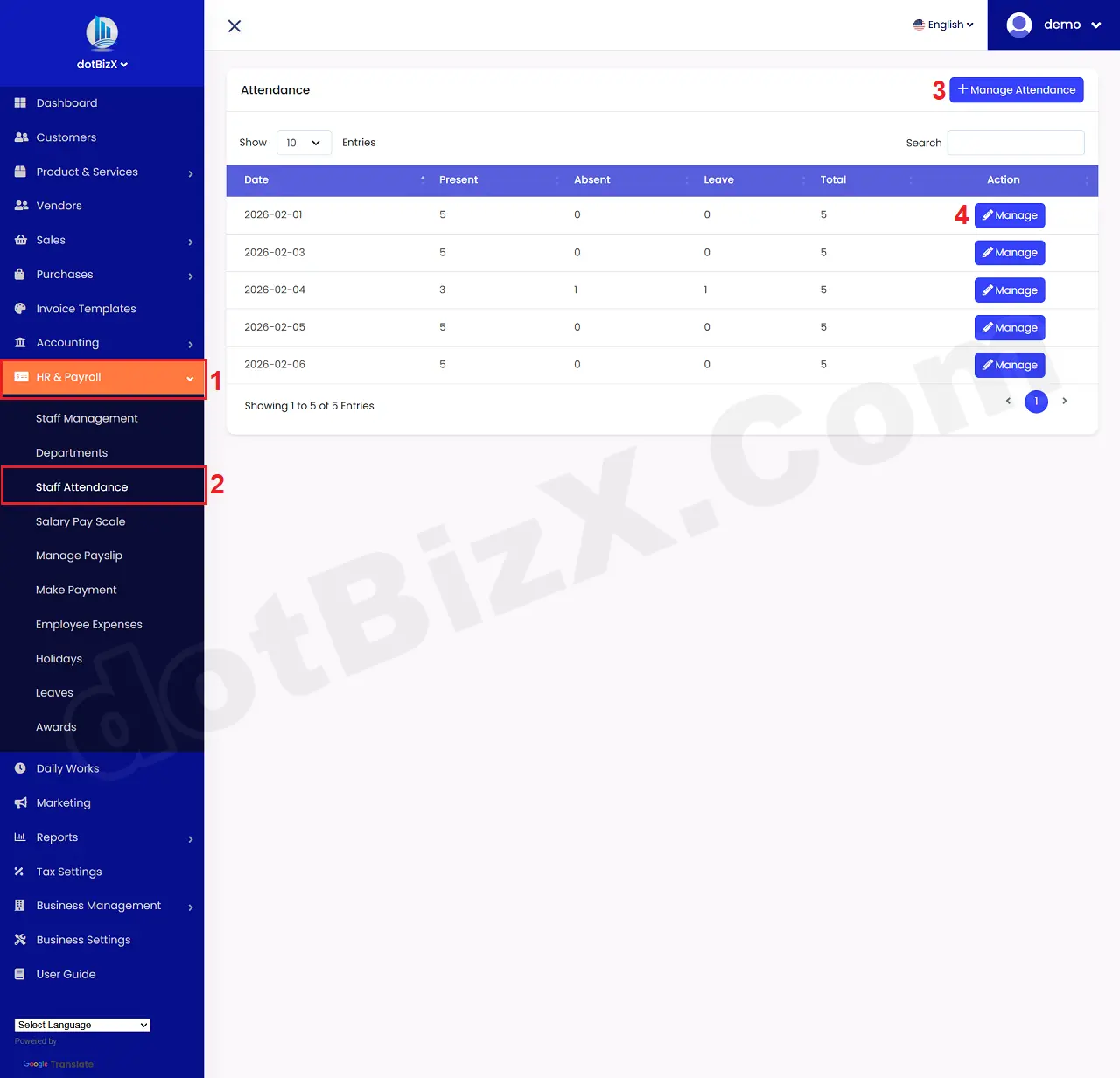
Illustration 01: List of Staff Attendance
* Notes:
+ Manage Attendance (3) button: It is used to take attendance of employees in the company.
+ Manage (4) button: It is used to edit employee attendance records in the company.
+ Employee attendance information will be the basis for calculating salaries at the end of the month.
2. How to take employee attendance?
In list of staff attendance like Illustration 01 above, you click on Manage Attendance (3) button => In Manage Attendance Form like Illustration 02 bellows, you click on date (5) box to choose the attendance date => Next you click on NEXT (6) button to continues.
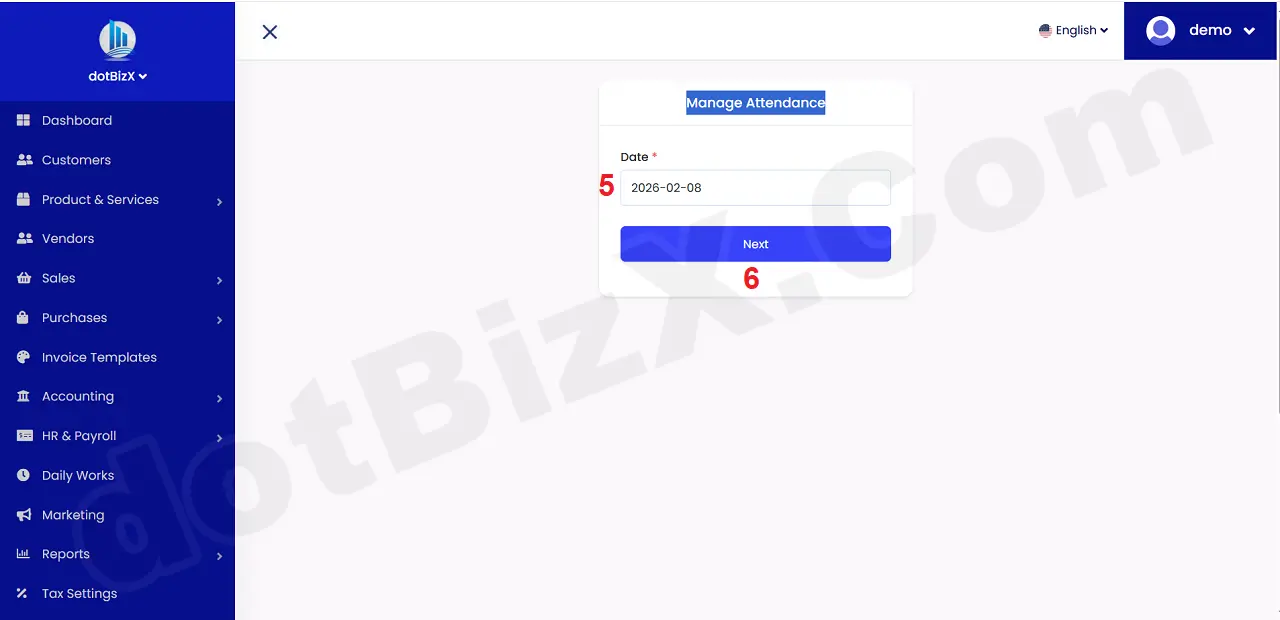
Illustration 02: Manage Attendance Form - Step 1
In Manage Attendance Form - Step 2 like Illustration 03 bellows, you need input all things for it => Final, you click on SUBMIT (9) button to finish.
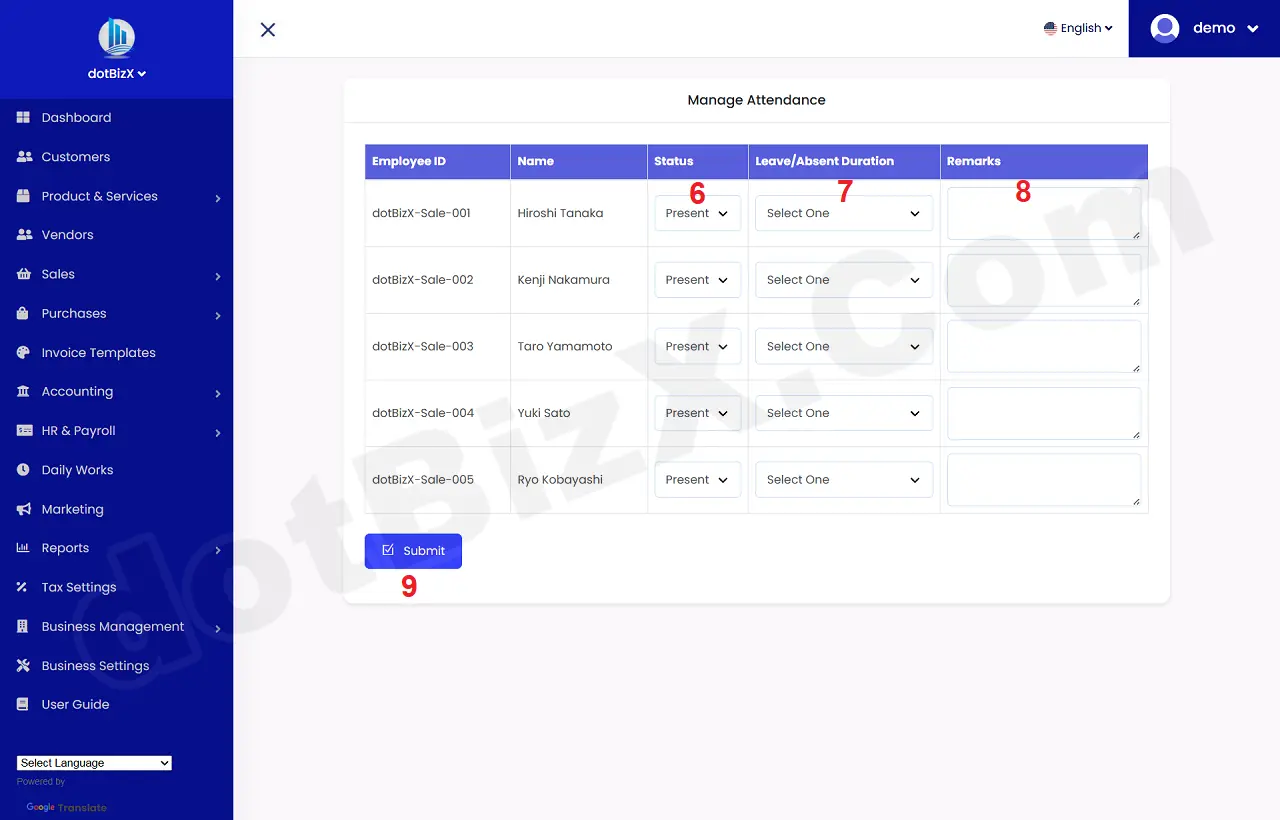
Illustration 03: Manage Attendance Form - Step 2
* Notes:
+ Status (6) box: You need choose the suitable value for staff. Status has 3 values:
- Present 👉 Present
The person was present at work/school on that day.
- Absent 👉 Absent
The person was absent without permission (often considered an unexcused absence).
- Leave 👉 On leave
The person was absent but had requested leave in advance (annual leave, sick leave, personal leave, etc.).
- Leave/Absent Duration (7) box: If the employee is not on leave, do not select any value. If the employee is on leave/absent, select the appropriate value. Specifically:
🔹 Full Day:
👉 Absence/Day Off
- Not working for the entire workday
- Usually counted as:
* 1 day of leave, or
* 1 day of absence (if it's an Absent)
📌 Examples:
+ Full day of annual leave
+ Full day of sick leave
+ Full day of unauthorized leave
🔹 Half Day
👉 Half-day off/absence
- Only taking ½ of a workday off
- This could be:
+ Morning off or
+ Afternoon off
📌 Usually calculated as:
+ 0.5 working day
+ 0.5 vacation day