
Steps to delete vendors in bulk from dotBizX.Com
1. Step 1: Open The Interface of Daily Work module
Click on Daily Work (1) menu to open Daily Work module.
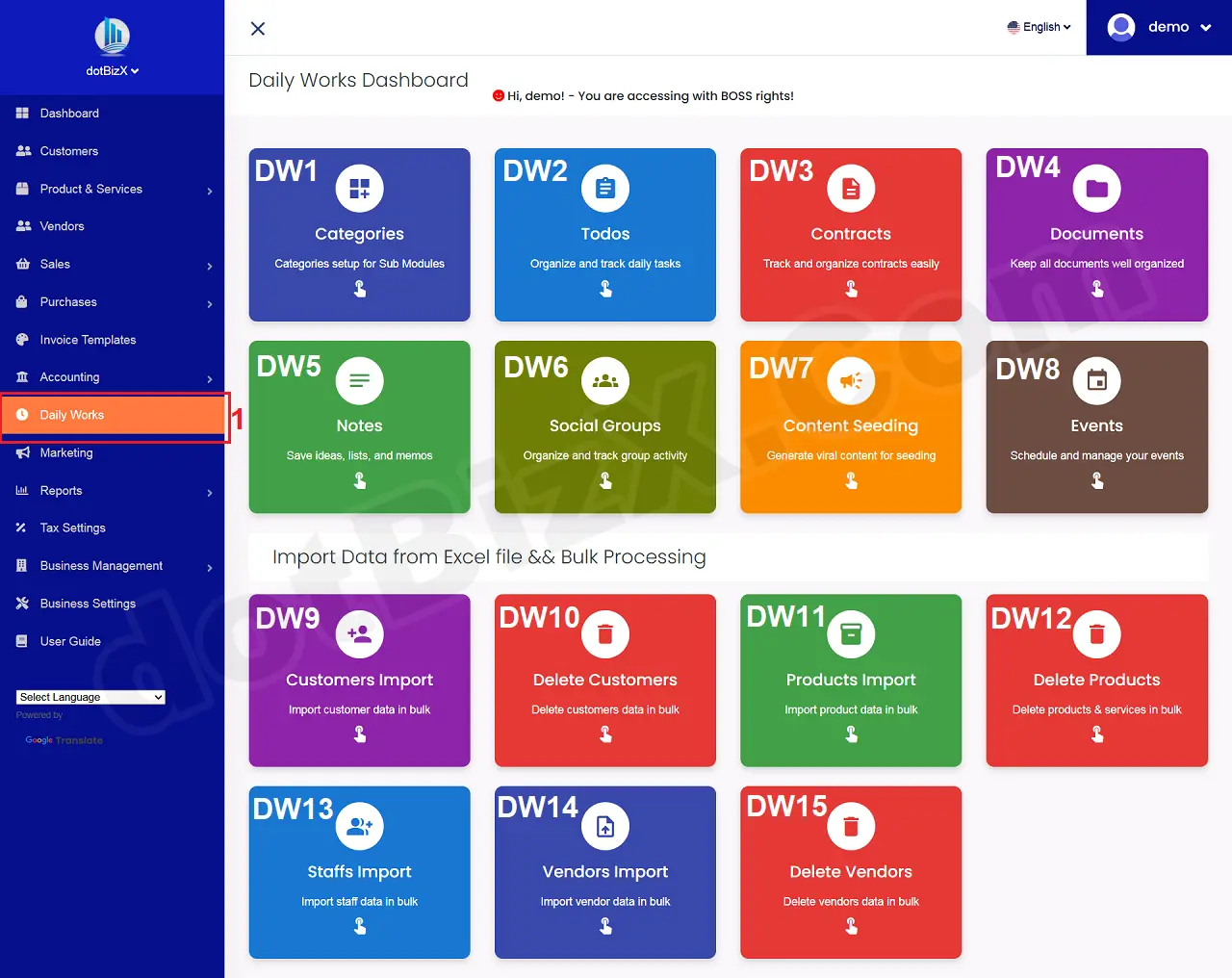
Illustration 01: The Interface of Daily Work Module
2. Step 2: Open List of Vendors
Next you click on Delete Vendors (DW15) tool like Illustration 01 above to open the list of vendors window.
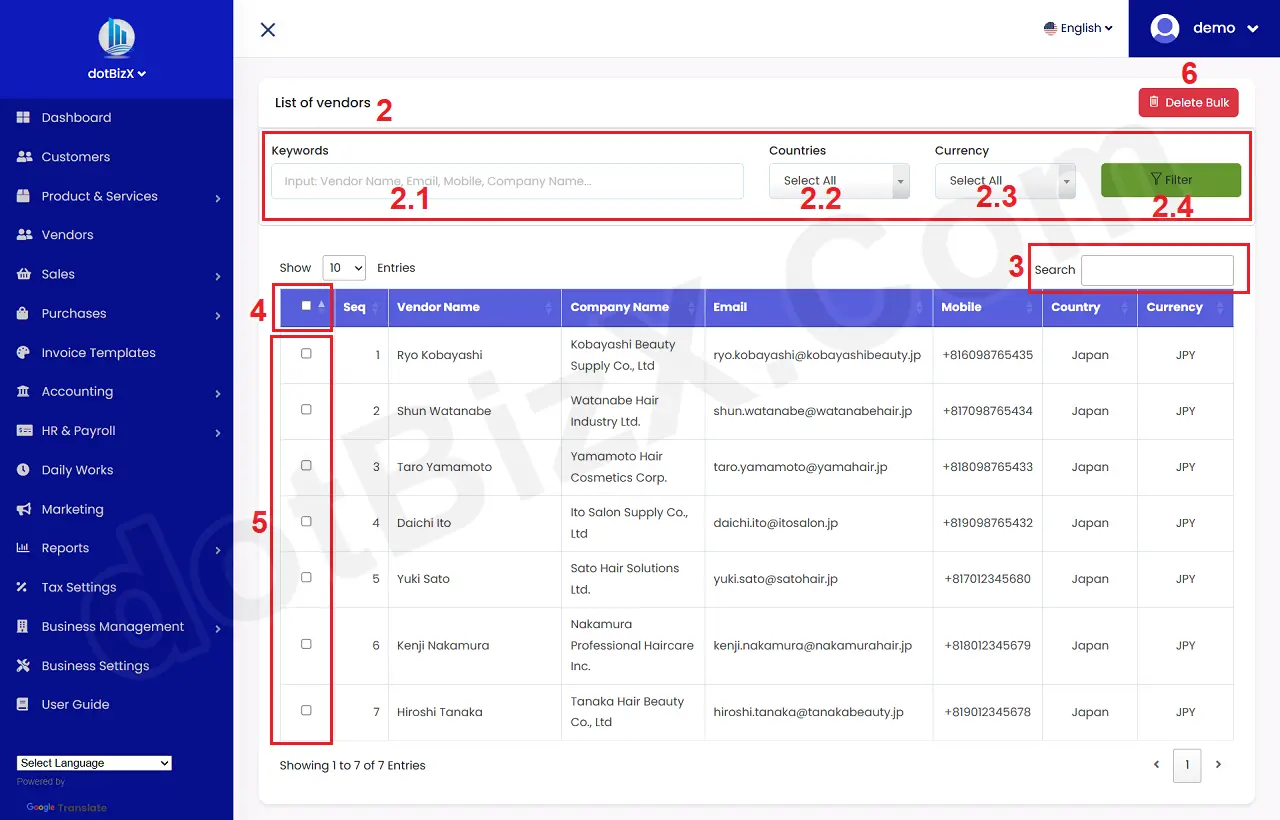
Illustration 02: List of Vendors
3. Step 3: Set up filters for vendor data to be deleted in bulk
In Filter Area (2), You need input data for all boxs here to filter the suitable vendors that you want to delete in bulk => Then you click on FILTER (2.4) button => The results of the data filtering will appear in the table below..
4. Step 4: Select the vendors to delete in bulk
In List Of vendors Table, You tick on checkbox in 5th area to choose vendors that you want to delete in bulk.
If you want to choose all vendors so you can tick on checkbox in 4th area.
5. Step 5: Delete All vendors who're selected
Final, you click on DELETE BULK (6) button to finish.