
Steps to delete products & services in bulk from dotBizX.Com
1. Step 1: Open The Interface of Daily Work module
Click on Daily Work (1) menu to open Daily Work module.
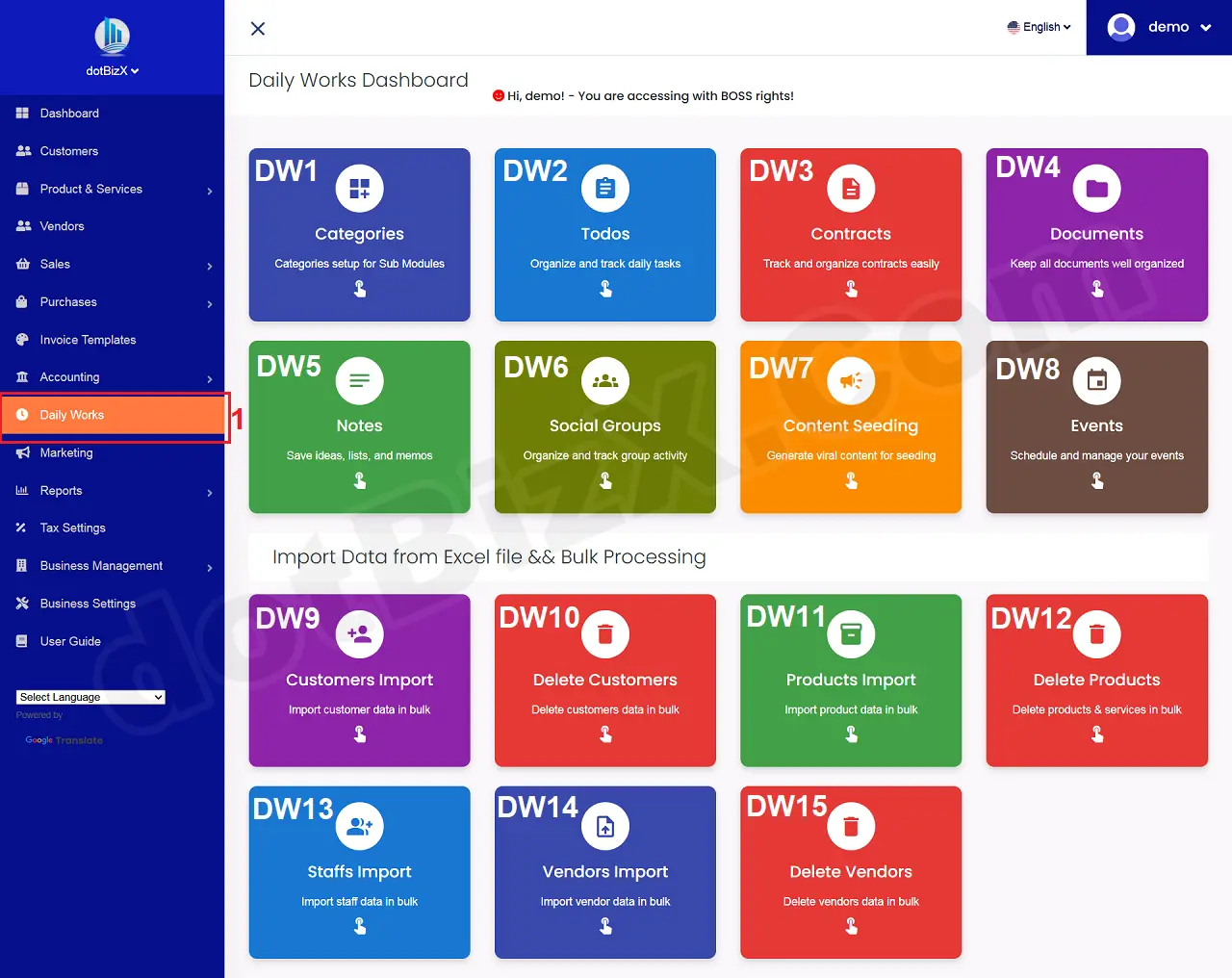
Illustration 01: The Interface of Daily Work Module
2. Step 2: Open List of products & services
Next you click on Delete Products (DW12) tool like Illustration 01 above to open the list of customers window.
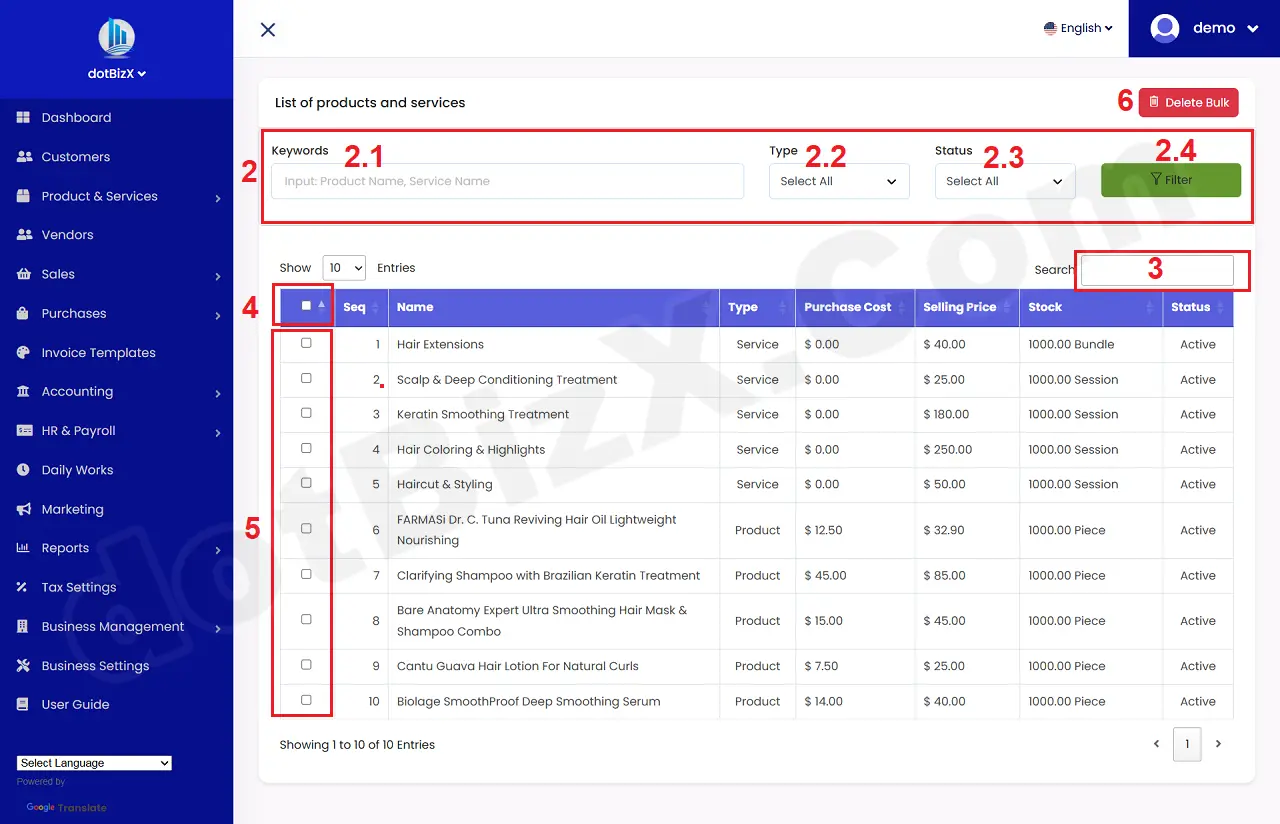
Illustration 02: List of Products & Services
3. Step 3: Set up filters for products/services data to be deleted in bulk
In Filter Area (2), You need input data for all boxs here to filter the suitable products/services that you want to delete in bulk => Then you click on FILTER (2.4) button => The results of the data filtering will appear in the table below..
4. Step 4: Select the products/services to delete in bulk
In List Of products/services Table, You tick on checkbox in 5th area to choose products/services that you want to delete in bulk.
If you want to choose all products/services so you can tick on checkbox in 4th area.
5. Step 5: Delete All products/services that're selected
Final, you click on DELETE BULK (6) button to finish.
Processing!