
1. How to show list of awards in dotBizX.Com?
To do it, you click on HR & Payroll (1) menu => Next you click on Awards (2) options => Then you can see list of awards like Illustration 01 bellows.
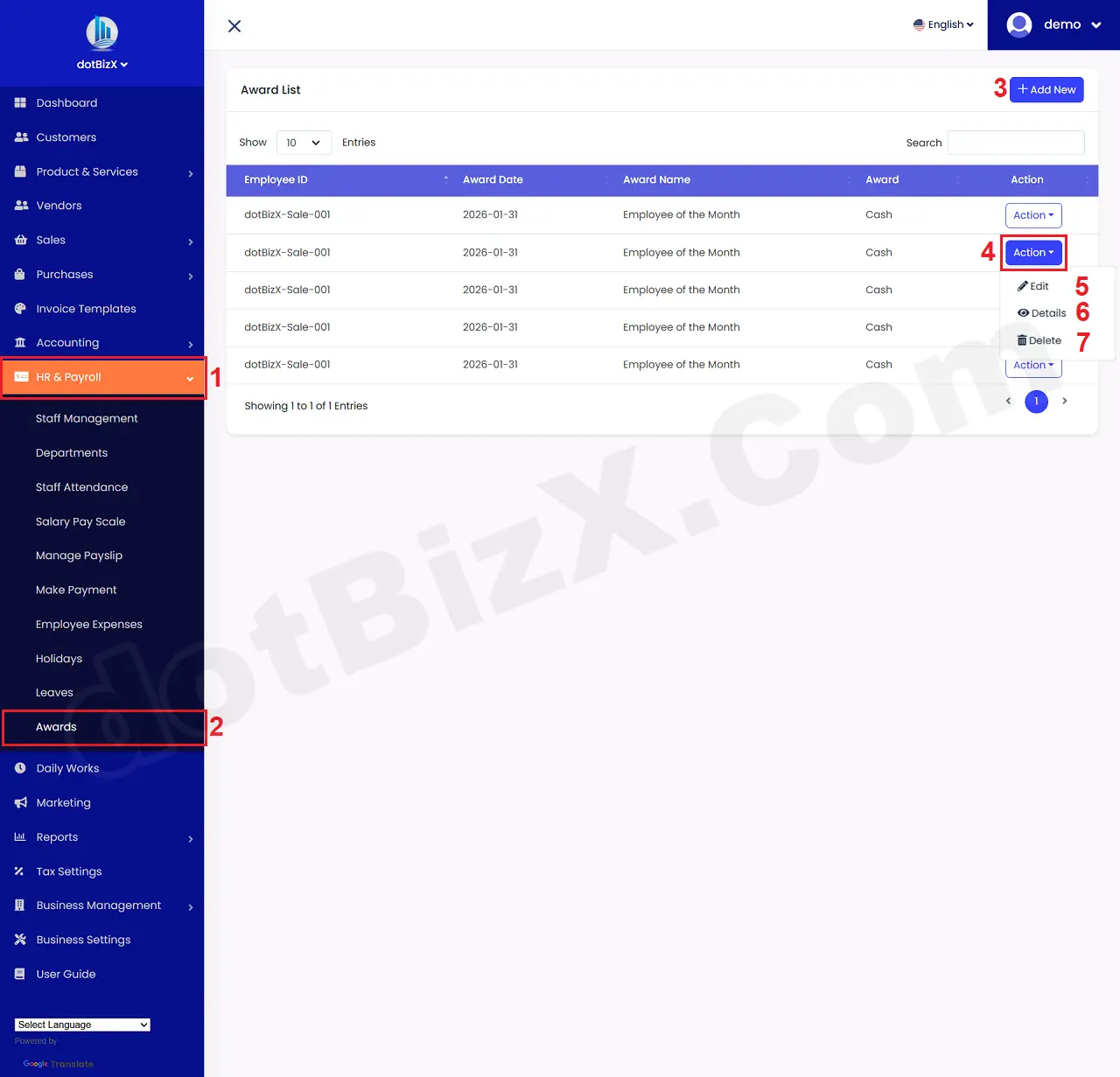
Illustration 01: List of Awards
* Notes:
+ Add New (3) button: It's used to create a new award.
+ Action (4) button: When you click on this button so you can see 5th - 7th options.
+ Edit (5) option: It's used to modify an existing award.
+ Details (6) option: It's used to show an existing award.
+ Delete (7) option: It's used to delete an existing award.
2. How to create a new award?
In list of awards like Illustration 01 above, you click on Add New (3) button => In New Award Form, you need input all things for it => Final, you click on Save (13) button to finish.
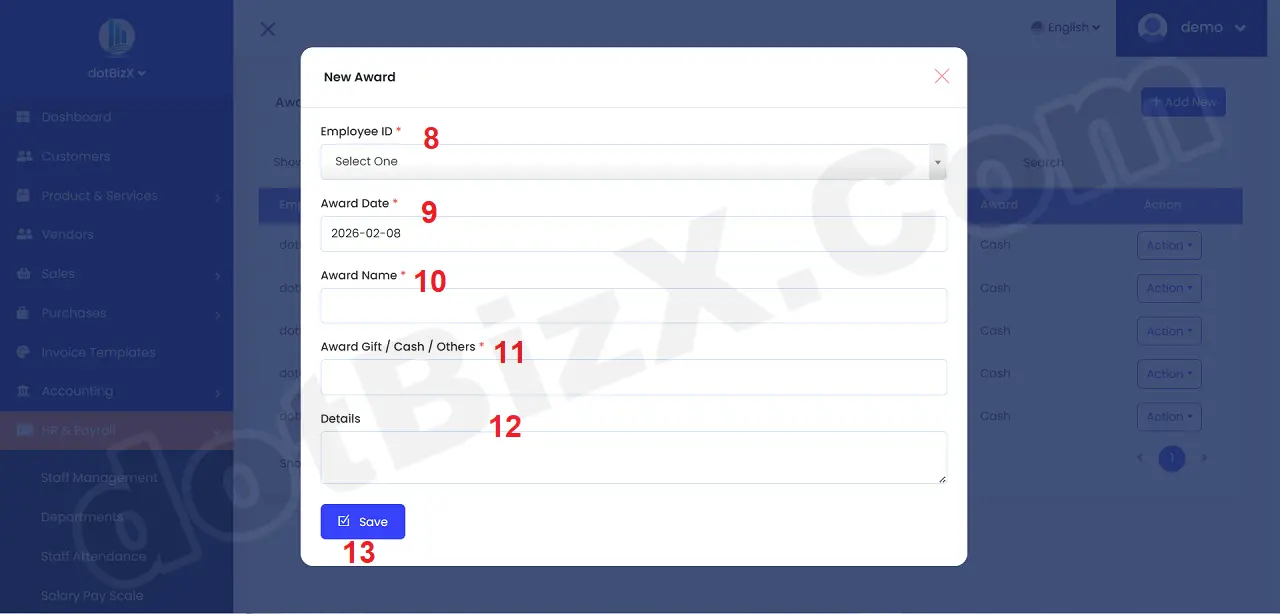
Illustration 02: New Award Form